A comprehensive AI-powered prototype for predictive crowd monitoring and persona detection,
built exclusively on Google's ecosystem for seamless integration and real-time insights.
This prototype develops a Real-Time Crowd Awareness & Response System focusing on two critical capabilities:
Predictive Crowd Monitoring and Crowd Persona Detection. Built exclusively on Google's ecosystem,
the system leverages Google Colab for AI model development
and Firebase for real-time application infrastructure.
Predictive Crowd Monitoring
Analyzes crowd dynamics in real-time to forecast potential issues like overcrowding,
stampedes, or anomalous behavior using the Crowd-11 dataset
with 11 distinct crowd motion patterns.
Crowd Persona Detection
Identifies and categorizes individuals based on characteristics using face detection and
gender classification with Kaggle's Gender Dataset
(23,000 training images per class).
Key Innovation
The system integrates multiple AI modules into a cohesive workflow, providing comprehensive
crowd intelligence that combines behavioral analysis with demographic insights for enhanced
safety and operational efficiency.
Core Features & Technology Stack
AI-Powered Features
Predictive Crowd Monitoring
Real-time analysis of crowd dynamics using the
Crowd-11 dataset
with 6,000+ video clips across 11 behavior patterns.
Jupyter notebook environment with free GPU/TPU access for AI model development,
training, and deployment. Enables collaborative development and seamless sharing.
Firebase Services
• Authentication for user management
• Firestore for real-time data synchronization
• Cloud Storage for media files
• Hosting for web application deployment
AI/ML Frameworks
• TensorFlow for deep learning models
• TensorFlow Hub for pre-trained models
• OpenCV for computer vision
• Firebase ML Kit for edge inference
Real-World Validation
Similar systems have been successfully deployed at the
Maha Kumbh Mela
with 160 CCTV cameras, demonstrating practical effectiveness in large-scale crowd management scenarios.
Secure user management with email/password and Google Sign-In for administrators
and security personnel.
Admin AccessRole-Based
Cloud Firestore
Real-time database for storing analytical results, alerts, and crowd insights
with automatic synchronization across devices.
Real-TimeNoSQL
Cloud Storage
Store processed images, video clips, and analytical visualizations
with secure access control.
Media FilesSecure Access
Real-Time Interface Design
Crowd Density HeatmapLive
Gender DistributionUpdated
Behavior AlertsActive
85%
Normal Flow
3
Active Alerts
Real-Time Performance
The Firebase integration ensures sub-second data synchronization between Colab processing and
application interfaces, enabling truly real-time crowd monitoring and response capabilities.
Deployment & Execution
Google Colab Setup
1
Access Notebook
Open provided Colab notebook from GitHub repository
2
Install Dependencies
Run initial cells to install TensorFlow, OpenCV, Firebase SDK
3
Configure Firebase
Upload service account key and initialize connection
4
Enable GPU
Select GPU runtime for optimal deep learning performance
Application Deployment
1
Create Firebase Project
Set up project in Firebase console and enable services
2
Configure Services
Enable Authentication, Firestore, Storage, and Hosting
3
Deploy Application
Clone repository and deploy using Firebase CLI
4
Monitor System
Launch application and monitor real-time analytics
Execution Workflow
Video Processing
Colab processes video frames in real-time using AI models
Data Sync
Results uploaded to Firebase for real-time synchronization
Interface Update
Web/mobile app displays live insights and alerts
GitHub Repository
Repository Structure
/notebooks
Main Colab Jupyter notebooks
/app
Web/mobile application source code
/docs
Setup instructions and documentation
/references
Dataset references and sample data
Key Components
Core Implementation
• Crowd_Awareness_Prototype.ipynb – Main Colab notebook
• Face detection and gender classification modules
• Behavior analysis and anomaly detection
• Firebase integration and data transmission
Application Interface
• React/Vue.js for web application
• Flutter/React Native for mobile
• Real-time dashboard components
• Alert management and visualization
Documentation
• SETUP.md – Environment configuration
• DEPLOYMENT.md – Firebase setup
• ARCHITECTURE.md – System design
• LICENSE – Open source licensing
Security & Privacy
Sensitive credentials like Firebase service account keys are not stored in the repository.
Template configuration files with placeholder values are provided, and users are instructed to
securely manage their own credentials following best practices.
Real-World Examples & Research References
Production Deployments
Maha Kumbh Mela 2025
AI system deployment
with 160 CCTV cameras for crowd density calculation and emergency management.
Pacemaker clusters also known as RHEL HA and its resources are configured and managed to provide reliability, scalability, and availability to critical production services. This is done by eliminating single points of failure and facilitating failover. The Red Hat High Availability uses Pacemaker as its cluster resource manager.
Before jumping into how Pacemaker cluster and resources are configured, lets dive in some core concepts and Understand RHHA
Core Concepts and Components
• Cluster Definition: A cluster consists of two or more computers, known as nodes or members. High availability clusters ensure service availability by moving services from an inoperative node to another cluster node.
• Pacemaker’s Role: Pacemaker is the cluster resource manager that ensures maximum availability for cluster services and resources. This is done by using cluster infrastructure’s messaging and membership capabilities to detect and recover from node and resource-level failures.
• Key Components:
◦ Cluster Infrastructure: Provides functions such as configuration file management, membership management, lock management, and fencing.
◦ High Availability Service Management: Manages failover of services when a node becomes inoperative. This is primarily handled by Pacemaker.
◦ Cluster Administration Tools: Configuration and management capabilities for setting up, configuring, and managing the HA tools, including infrastructure, service management, and storage components.
◦ Cluster Information Base (CIB): An XML-based daemon that distributes and synchronises current configuration and status information across all cluster nodes from a Designated Coordinator (DC). It represents both the cluster’s configuration and the current state of all resources. Direct editing of thecib.xmlfile is not recommended; instead, use pcs or pcsd.
◦ Cluster Resource Management Daemon (CRMd): Routes Pacemaker cluster resource actions, allowing resources to be queried, moved, instantiated, and changed.
◦ Local Resource Manager Daemon (LRMd): Acts as an interface between CRMd and resources, passing commands (e.g., start, stop) to agents and relaying status information.
◦ corosync: The daemon that provides core membership and communication needs for high availability clusters, managing quorum rules and messaging between cluster members.
◦ Shoot the Other Node in the Head (STONITH): Pacemaker’s fencing implementation, which acts as a cluster resource to process fence requests, forcefully shutting down nodes to ensure data integrity.
Configuration and Management Tools
Red Hat provides two primary tools for configuring and managing Pacemaker clusters:
• pcs(Command-Line Interface): This tool controls and configures Pacemaker and the corosync heartbeat daemon. It can perform tasks such as creating and configuring clusters, modifying running cluster configurations, and remotely managing cluster status.
• pcsdWeb UI (Graphical User Interface): Offers a graphical interface for creating and configuring Pacemaker/Corosync clusters, with the same capabilities as the pcs CLI. It can be accessed via https://nodename:2224. For pcsd to function, port TCP 2224 must be open on all nodes for pcsd Web UI and node-to-node communication.
Essential Cluster Concepts
• Fencing: If communication with a node fails, other nodes must be able to restrict or release access to shared resources. This is achieved via an external method called fencing, using a fence device (also known as a STONITH device). STONITH ensures data safety by guaranteeing a node is truly offline before shared data is accessed by another node, and forces offline nodes where services cannot be stopped. Red Hat only supports clusters with STONITH enabled (stonith-enabled=true). Fencing can be configured with multiple devices using fencing levels.
• Quorum: Cluster systems use quorum to prevent data corruption and loss by ensuring that more than half of the cluster nodes are online. Pacemaker, by default, stops all resources if quorum is lost. Quorum is established via a voting system. The votequorum service, along with fencing, prevents “split-brain” scenarios. In Split-brain parts of the cluster act independently, potentially corrupting data. For GFS2 clusters, no-quorum-policy must be set to freeze to prevent fencing and allow the cluster to wait for quorum to be regained.
• Quorum Devices: A separate quorum device can be configured to allow a cluster to sustain more node failures than standard quorum rules, especially recommended for clusters with an even number of nodes (e.g., two-node clusters).
Cluster Resource Configuration
A cluster resource is an instance of a program, data, or application managed by the cluster service, abstracted by agents that provide a standard interface.
• Resource Creation: Resources are created using the pcs resource create command. They can be of various classes, including OCF, LSB, systemd, and STONITH.
◦ Meta Options: Resource behavior is controlled via meta-options, such as priority (for resource preference), target-role (desired state), is-managed (cluster control), resource-stickiness (preference to stay on current node), requires (conditions for starting), migration-threshold (failures before migration), and multiple-active (behavior if resource is active on multiple nodes).
◦ Monitoring Operations: All Resources can have monitoring operations defined to ensure their health. If not specified, a default monitoring operation is added. Multiple monitoring operations can be configured with different check levels and intervals.
• Resource Groups: A common configuration involves grouping resources that need to be located together, start sequentially, and stop in reverse order. Constraints can be applied to the group as a whole.
• Constraints: Determine resource behavior within the cluster.
◦ Location Constraints: Define which nodes a resource can run on, allowing preferences or avoidance. They can be used to implement “opt-in” (resources don’t run anywhere by default) or “opt-out” (resources can run anywhere by default) strategies.
◦ Ordering Constraints: Define the sequence in which resources start and stop.
◦ Colocation Constraints: Determine where resources are placed relative to other resources. The influence option (RHEL 8.4+) determines whether primary resources move with dependent resources upon failure.
• Cloned Resources: Allow a resource to be active on multiple nodes simultaneously (e.g., for load balancing). Clones are slightly sticky by default, preferring to stay on their current node.
• Multistate (Master/Slave) Resources: A specialization of clones where instances can operate in two modes: Master and Slave. They also have stickiness by default.
• LVM Logical Volumes: Supported in two cluster configurations: High Availability LVM (HA-LVM) for active/passive failover (single node access) and LVM volumes using lvmlockd for active/active configurations (multiple node access). Both must be configured as cluster resources and managed by Pacemaker. For RHEL 8.5+, vgcreate --setautoactivation n is used to prevent automatic activation outside Pacemaker.
• GFS2 File Systems: Can be configured in a Pacemaker cluster, requiring the dlm (Distributed Lock Manager) and lvmlockd resources. The no-quorum-policy for GFS2 clusters should be set to freeze.
• Virtual Domains as Resources: Virtual machines managed by libvirt can be configured as cluster resources using the VirtualDomain resource type. Once configured, they should only be started, stopped, or migrated via cluster tools. Live migration is possible if allow-migrate=true is set.
• Pacemaker Remote Nodes: Allows nodes not running corosync (e.g., virtual guests, remote hosts) to integrate into the cluster and have their resources managed. Connections are secured using TLS with a pre-shared key (/etc/pacemaker/authkey).
• Pacemaker Bundles (Docker Containers): Pacemaker can launch Docker containers as bundles, encapsulating resources within them. The container image must include the pacemaker_remote daemon.
Managing Resources and Cluster State
• Displaying Status: pcs resource status displays configured resources. pcs status --full shows detailed cluster status, including online/offline nodes and resource states.
• Clearing Failure Status: pcs resource cleanup resets a resource’s status and failcount after a failure is resolved. pcs resource refresh re-detects the current state of resources regardless of their current state.
• Moving Resources: Resources can be manually moved using pcs resource move or pcs resource relocate. Resources can also be configured to move after a set number of failures (migration-threshold) or due to connectivity changes by using a ping resource and location constraints.
• Enabling/Disabling/Banning Resources: Resources can be disabled (pcs resource disable) to manually stop them and prevent the cluster from starting them. They can be re-enabled (pcs resource enable). pcs resource ban prevents a resource from running on a specific node.
• Unmanaged Mode: Resources can be set to unmanaged mode, meaning Pacemaker will not start or stop them, while still keeping them in the configuration.
• Node Standby Mode: A node can be put into standby mode (pcs node standby) to prevent it from hosting resources, effectively moving its active resources to other nodes. This is useful for maintenance or testing.
• Cluster Maintenance Mode: The entire cluster can be put into maintenance mode (pcs property set maintenance-mode=true) to stop all services from being started or stopped by Pacemaker until the mode is exited.
• Updating Clusters: Updates to the High Availability Add-On packages can be performed via rolling updates (one node at a time) or by stopping the entire cluster, updating all nodes, and then restarting. When stopping pacemaker_remote on a remote/guest node for maintenance, disable its connection resource first to prevent monitor failures and graceful resource migration.
• Disaster Recovery Clusters: Two clusters can be configured for disaster recovery, with one as the primary and the other as the recovery site. Resources are typically run in production on the primary and in demoted mode (or not at all) on the recovery site, with data synchronisation handled by the applications themselves. pcs dr commands (RHEL 8.2+) allow displaying status of both clusters from a single node.
The Red Hat High Availability Add-On and Load Balancer are distinct solutions designed to address different aspects of system availability and performance, though they can also be used in conjunction to create more robust environments.
Here are the fundamental differences and use cases for each:
Red Hat High Availability Add-On
The Red Hat High Availability Add-On is a clustered system primarily focused on providing reliability, scalability, and availability to critical production services by eliminating single points of failure. It achieves this mainly through failover of services from one cluster node to another if a node becomes inoperative.
Core Components and Concepts:
• Pacemaker: This is the cluster resource manager used by the High Availability. It oversees cluster membership, manages services, and monitors resources.
• Cluster Infrastructure: Provides fundamental functions like configuration file management, membership management, lock management, and fencing, enabling nodes to work together as a cluster.
• High Availability Service Management: Facilitates the failover of services in case of node failure.
• Fencing (STONITH): This is a critical mechanism to ensure data integrity by physically isolating or “shooting” an unresponsive node, preventing it from corrupting shared data or resources. Red Hat only supports clusters with fencing enabled.
• Quorum: Cluster systems use quorum to prevent data corruption and loss, especially in “split-brain” scenarios where network communication issues could cause parts of the cluster to operate independently. A cluster has quorum when more than half of its nodes are online.
• Cluster Resources: These are instances of programs, data, or applications managed by the cluster service through “agents” that provide a standard interface. Resources can be configured with constraints (location, ordering, colocation) to determine their behavior within the cluster.
• LVM Support: It supports LVM volumes in two configurations:
◦ Active/Passive (HA-LVM): Only a single node accesses storage at any given time, avoiding cluster coordination overhead for increased performance. This is suitable for applications not designed for concurrent operation.
◦ Active/Active (LVM withlvmlockd**):** Multiple nodes require simultaneous read/write access to LVM volumes, with lvmlockd coordinating activation and changes to LVM metadata. This is used for cluster-aware applications and file systems like GFS2.
Key Use Cases for Red Hat High Availability Add-On:
• Maintaining High Availability: Ensuring critical services like Apache HTTP servers, NFS servers, or Samba servers remain available even if a node fails, by failing them over to another healthy node.
• Data Integrity: Crucial for services that read and write data via shared file systems, ensuring data consistency during failover.
• Active/Passive Configurations: For most applications not designed for concurrent execution.
• Active/Active Configurations: For specific cluster-aware applications like GFS2 or Samba that require simultaneous access to shared storage.
• Virtual Environments: Managing virtual domains as cluster resources and individual services within them.
• Disaster Recovery: Configuring two clusters (primary and disaster recovery) where resources can be manually failed over to the recovery site if the primary fails.
• Multi-site Clusters: Using Booth cluster ticket manager to span clusters across multiple sites and manage resources based on granted tickets, ensuring resources run at only one site at a time.
• Remote Node Integration: Integrating nodes not running corosync into the cluster to manage their resources remotely, allowing for scalability beyond standard node limits.
Load Balancer
The Load Balancer (specifically using Keepalived and HAProxy in Red Hat Enterprise Linux 7) is designed to provide load balancing and high-availability to network services, dispatching network service requests to multiple cluster nodes to distribute the request load.
Core Components and Concepts:
• Keepalived:
◦ Runs on active and passive Linux Virtual Server (LVS) routers.
◦ Uses Virtual Redundancy Routing Protocol (VRRP) to elect an active router and manage failover of the virtual IP address (VIP) to backup routers if the active one fails.
◦ Performs load balancing for real servers and health checks on service integrity.
◦ Operates primarily at Layer 4 (Transport layer) for TCP connections.
◦ Supports various scheduling algorithms (e.g., Round-Robin, Least-Connection) to distribute traffic.
◦ Offers persistence and firewall marks to ensure client requests consistently go to the same real server for stateful connections (e.g., multi-screen web forms, FTP).
• HAProxy:
◦ Offers load-balanced services for HTTP and TCP-based services.
◦ Processes events on thousands of connections across a pool of real servers.
◦ Allows defining proxy services with front-end (VIP and port) and back-end (pool of real servers) systems.
◦ Performs load-balancing management at Layer 7 (Application layer).
• Traffic Distribution: Balancing network service requests across multiple “real servers” to optimize performance and throughput.
• Scalability: Cost-effectively scaling services by adding more real servers to handle increased load.
• High-Volume Services: Ideal for production web applications and other Internet-connected services that experience high traffic.
• Router Failover: Keepalived ensures that the Virtual IP (VIP) address and, consequently, access to the load-balanced services, remains available even if the primary load balancer router fails.
• Diverse Hardware: Weighted scheduling algorithms allow for efficient load distribution among real servers with varying capacities.
• Stateful Connections: Using persistence or firewall marks to direct a client’s subsequent connections to the same real server for applications requiring session consistency (e.g., e-commerce, FTP).
• Flexible Routing: Supports both NAT (Network Address Translation) routing and Direct Routing, offering flexibility in network topology and performance.
Fundamental Differences
Feature
Red Hat High Availability Add-On
Load Balancer
Primary Goal
Ensuring service availability through failover to eliminate single points of failure.
Distributing network traffic across multiple servers to enhance scalability and performance.
Core Mechanism
Manages application and service resources and moves them between nodes upon failure.
Directs client requests to multiple backend servers based on load balancing algorithms.
Application/Service layer (manages state and startup/shutdown of services).
Layer 4 (TCP) and/or Layer 7 (HTTP/HTTPS).
Data Integrity
Actively ensures data integrity during failover, especially with shared storage (e.g., lvmlockd, GFS2).
Does not directly manage data integrity; relies on backend servers to handle data consistency.
Redundancy Type
Primarily active/passive failover for services (one active, others standby), though active/active is supported with specific tools.
Typically active/active for real servers (all serving requests) with active/passive for load balancer routers.
Configuration
Uses pcs command-line interface or pcsd Web UI to configure Pacemaker and Corosync.
Configured via keepalived.conf and haproxy.cfg files.
In summary, the High Availability Add-On focuses on maintaining uptime of a service or application by ensuring it can reliably restart or move to another server if its current host fails, with a strong emphasis on data integrity. The Load Balancer, conversely, focuses on distributing incoming client requests across multiple servers to handle higher traffic volumes and improve overall system performance, while also providing failover at the routing level. They can complement each other, with an HA cluster protecting the backend services that are being load-balanced.
Why “intangibles” vanish the moment we learn to ask better questions
“When you can measure what you are speaking about, and express it in numbers, you know something about it.” — Lord Kelvin
Most of us nod when we hear Kelvin’s quip, yet the moment a colleague proposes quantifying employee morale, brand strength or innovation, we shrug and mutter: “Some things just can’t be measured.” Chapter 3 of Douglas Hubbard’s How to Measure Anything dismantles that reflex. Below I unpack its big ideas, sprinkle in real-world examples, and show how a measurement mindset turns fuzzy debates into clear bets—without drowning anyone in spreadsheets or sucking the soul out of people-centred work.
The single biggest misconception Hubbard tackles is conceptual. We unconsciously treat measurement as a quest for certainty: if the number isn’t exact and error-free, it’s useless. Wrong. In information-theory terms (Claude Shannon, 1948), measurement is any observation that shrinks the cloud of what we don’t know. If I tell a project sponsor that a new feature will lift revenue somewhere between 0 % and 30 %, I’ve conveyed almost nothing. Narrow that to 8 %–12 % and she can place a far better bet—even though there’s still error.
This definition is wonderfully liberating. It turns measurement from a perfectionist hurdle into a pragmatic habit. You don’t need an MRI machine to gauge customer excitement about a prototype; you just need an observation that moves you from “no clue” to “slightly less clueless.”
2. The .COM Model—Concept, Object, Method
Why do otherwise smart people label things immeasurable? Three blind spots:
Concept: We misuse the word measurement.
Object: We never pin down what the slippery term (e.g. strategic alignment) really means.
Method: We’re unaware of the simple statistical devices that already exist.
Remember “.COM”: nail the concept, clarify the object, then pick a method. Do it in that order and the “immeasurable” evaporates.
Try this at your next meeting. When someone says “quality” or “engagement,” ask, “What would we actually see improve if quality went up next quarter?” Keep drilling (Hubbard calls it a clarification chain) until you arrive at observable consequences—fewer defects, faster approvals, repeat purchases. By then the room will be awash in things that can, in fact, be counted.
3. Tiny Samples, Huge Insight
Managers routinely overestimate how much data is required to learn something useful. Two heuristics prove otherwise.
The Rule of Five
Take any random sample of five. There’s a 93.75 % probability the true median of the whole population lies between the smallest and largest sample values. That’s not a typo: five observations can bracket the middle of thousands. Suddenly, quick-and-dirty pulse surveys don’t feel so dirty.
The Urn of Mystery
Imagine an urn with an unknown mix of red and green marbles. Draw one marble at random; the colour you pull has a 75 % chance of being the majority in the urn. One data point, three-quarters confidence. Translated to business: the first customer you interview or the first log file you scan is not gospel, but it’s dramatically better than blind guessing.
These rules slice neatly through the “we’d need a huge study” objection. Small N can still swing big decisions—as long as you acknowledge the margin of error.
4. Why Objections Crumble
“It’s too expensive.”
Maybe—but have you priced the risk of flying blind? Hubbard’s Applied Information Economics (AIE) shows that, in most models, only a handful of variables dominate the outcome. Measuring even one of them often pays for itself many times over.
“You can prove anything with statistics.”
No, you can lie with statistics. You can also lie with words. The antidote is competence, not cynicism. When someone trots out the cliché, offer this wager: Prove that ‘you can prove anything with statistics’ using statistics and I’ll buy lunch for a year. So far, no takers.
“It’s unethical to put a value on human life / creativity / reputation.”
Public policy does this every day. The Environmental Protection Agency uses a statistical value of life to prioritise regulations. Hospitals perform cost-effectiveness analysis on treatments. Refusing to measure doesn’t make trade-offs disappear; it just buries them where biases and politics decide instead of evidence.
5. You Already Have More Data Than You Think
Most firms sit on oceans of under-used logs, surveys, transcripts and sensor feeds. Chicago Virtual Charter School believed it lacked data to evaluate teaching quality—until it realised every online lesson was already recorded. By sampling tiny, random slices of those videos, administrators could score engagement and differentiation without watching hundreds of hours of footage.
Action step: Make a “data scavenger hunt” part of project kick-off. Ask, “What’s already being captured that we’ve never analysed?” You’ll be stunned how often the answers are hiding in plain text.
6. When Data Truly Don’t Exist—Create Them Cheaply
Eratosthenes measured Earth’s circumference with sticks, shadows and walking pace. Nine-year-old Emily Rosa demolished “therapeutic touch” by flipping coins and masking therapists’ vision. Neither had a grant.
Modern equivalents:
Wizard-of-Oz tests: Fake the backend manually to see if users will even click the button.
A/B smoke tests on landing pages: Gauge demand for a feature before writing code.
Expert-elicitation workshops: Calibrate subject-matter experts to produce probabilistic estimates that beat gut feel.
The bar isn’t perfection; it’s “better than our current guess.”
7. The Ethical High Ground of Quantification
Meehl’s haunting analogy: releasing a suicidal patient without assessing risk is like handing him a revolver with one live round but ignoring which chamber fires first. Pretending you can’t put numbers on uncertainty doesn’t make the danger go away; it makes you responsible for ignoring it.
Whether you’re allocating cybersecurity budget or triaging climate projects, measurements shine a light on the real stakes. That’s not dehumanising; it’s humane stewardship.
8. Practical Playbook
Name the decision. What bet are we trying to place?
List uncertainties. What variables could swing that bet?
Estimate current ranges (even wild guesses).
Compute information value. Which range, if tightened, changes the decision the most?
Pick the cheapest observation that would narrow that range—often small samples or simple experiments.
Update the model; repeat until additional info is worth less than its cost.
Stop when better data no longer changes the choice. Anything further is academic.
9. The Mindset Shift
The point isn’t that you should start drowning operations in KPIs. In fact, Hubbard’s research shows most metrics organisations track are worth zero; they simply aren’t tied to pivotal decisions. The mindset shift is recognising that the few uncertainties that do matter are almost always measurable—and usually with absurdly modest effort.
Next time someone in the room sighs, “Well, that’s an intangible,” smile and ask:
“Sure, but if it suddenly doubled tomorrow, what exactly would we notice first?”
Congratulations—you’ve just opened the door to measurement.
Closing Thought
We live in a golden age of cheap sensors, public datasets and cloud math. The only thing rarer than data is the managerial courage to abandon the comfort of anecdotes and start placing informed bets. As Hubbard makes clear, the gap between ignorance and insight is often a single well-designed observation.
So go ahead—measure something today that you swore last week was impossible. Your future self (and your stakeholders) will thank you.
Imagine a bustling city like London. It thrives not as a single, gigantic entity, but as a network of interconnected boroughs, each with its unique character and function. This is the essence of Microservices Architecture: breaking down a complex application into smaller, Independently Deployable services that work together harmoniously.
In the past, software was often built as a Monolithic Architecture, a single unit that housed all functionalities. This approach, while seemingly straightforward, often leads to challenges in maintaining, scaling, and evolving the application over time. Just as traffic congestion in a single mega-city can bring everything to a standstill, changes in a monolithic application can ripple through the entire system, making updates slow and risky.
Microservices, on the other hand, offer a more agile and resilient approach. They allow you to develop, deploy, and scale individual components independently, without disrupting the entire system.
The Power of Loose Coupling
One of the key principles of Microservices Architecture is Loose Coupling. Imagine a team of builders constructing a house. If each builder is reliant on the others to complete their tasks in a specific sequence, any delay or change can impact the entire project.
Similarly, loosely coupled microservices minimise dependencies between services. Each service can be built, tested, and deployed independently, empowering teams to work autonomously and rapidly iterate on their specific domain. This also enables the use of different technologies and programming languages for different services, promoting flexibility and innovation.1
Real-World Resilience
Let’s take the example of a popular e-commerce platform. In a monolithic architecture, if the payment processing module encounters an error, it could potentially bring down the entire website. However, with microservices, the payment service is isolated. Even if it experiences a temporary outage, other services like product browsing, recommendations, and user accounts can continue to operate seamlessly.
This Resilience is achieved through various design patterns and techniques, such as:
● Circuit Breakers: These act as safeguards, preventing cascading failures by automatically isolating a failing service. Think of it like a fuse that trips to prevent an electrical overload.
● Retries and Fallbacks: When a service fails, retries can be attempted, or fallback mechanisms can provide a degraded but still functional experience.
● Health Checks: Regular health checks monitor the status of services, allowing for early detection of issues and automated recovery processes.
Scaling on Demand
Microservices shine when it comes to Scalability. Just as a city can expand by developing new boroughs or increasing the capacity of existing ones, microservices allow you to scale individual services based on demand.
For instance, during a flash sale on an e-commerce platform, the order processing service might experience a surge in traffic. With microservices, you can easily scale up this specific service, adding more computing resources to handle the increased load without needing to scale the entire application. This leads to efficient resource utilization and cost savings.
Beyond the Technical
The benefits of microservices extend beyond technical considerations. They also foster a more agile and efficient organisational structure. Small, cross-functional teams can own and manage individual services, aligning development efforts with business capabilities. This encourages ownership, accountability, and faster decision-making.
Benefits and Challenges of Microservices
Benefits
Challenges
Enhanced Scalability: Microservices offer superior scalability compared to monolithic architectures. By breaking down applications into independent, smaller services, each service can be scaled independently according to its specific demand. This granular scaling optimises resource utilisation, as only the necessary services are scaled, unlike monolithic applications that require scaling the entire application even if only a part requires increased resources.
Increased Operational Complexity: Microservices introduce significant operational complexity compared to monolithic architectures. Managing a network of distributed services requires robust infrastructure automation, sophisticated monitoring and logging tools, and expertise in handling distributed systems. This can lead to higher operational overhead, demanding skilled personnel and robust tooling for smooth operation.
Accelerated Development Speed: Microservices foster faster development cycles. Smaller, independent teams can focus on individual services, enabling parallel development and faster iteration. This autonomy allows teams to choose the most fitting technology for each service, increasing development flexibility and speed.
Data Management Challenges: Maintaining data consistency and managing transactions across distributed services poses a significant challenge. The “Database per Service” pattern, while promoting service independence, requires careful consideration of data synchronisation and consistency issues. Implementing solutions like event sourcing can address these challenges but introduce additional complexity.
Technological Diversity: The “polyglot” approach enabled by microservices allows teams to select the most appropriate technology stack for each service. This flexibility contrasts with the constraints of a single technology stack often found in monolithic architectures and can lead to more efficient and optimised solutions.
Communication Overhead and Latency: Communication between microservices, often reliant on network calls, can introduce latency. This latency must be carefully managed to avoid performance degradation. While asynchronous communication patterns can help mitigate latency issues, they require a different approach to system design and error handling.
Improved Maintainability: The clear boundaries and loose coupling of microservices promote better code organisation and maintainability…. Updates and changes are localized, reducing the risk of unintended consequences across the application and simplifying debugging. This isolation makes identifying and resolving issues easier, leading to improved maintainability.
Deployment Complexity: Deploying and managing a network of microservices requires advanced deployment strategies and robust tooling. Techniques like blue-green or canary deployments, containerisation, and orchestration tools like Kubernetes become essential for managing the complexities of a microservice environment. This increased complexity demands skilled personnel and a mature DevOps culture.
Fault Isolation: Microservices offer enhanced fault tolerance through isolation. If one service fails, it does not necessarily affect the entire application, preventing a single point of failure that can bring down the whole system. This isolation ensures continued operation of unaffected services, improving application reliability.
Testing Challenges: While individual microservices may be easier to test in isolation, testing the interactions between services and ensuring end-to-end functionality can be more complex than testing a monolithic application. Effective testing strategies must cover unit tests, service integration tests, and end-to-end workflow tests across multiple services.
Considerations and Challenges
While microservices offer numerous advantages, it’s important to acknowledge that they introduce complexity, especially in areas like:
● Interservice Communication: Managing communication between multiple services can become intricate, demanding careful planning and the use of appropriate technologies like API gateways, message queues, and service meshes.
● Data Consistency: Ensuring data consistency across a distributed system requires careful consideration of data storage strategies and consistency models like eventual consistency.
● Testing and Debugging: Verifying the behaviour of a distributed system composed of numerous interacting services requires specialised testing strategies and tools.
● Monitoring and Observability: Gaining insights into the performance and health of a microservices system requires comprehensive monitoring, logging, and tracing capabilities.
Moving Towards Microservices
Transitioning from a monolithic architecture to microservices is often a gradual process. The Strangler Pattern is a popular approach where new functionality is implemented as microservices, gradually replacing portions of the monolith over time.
Microservices Architecture is a paradigm shift in software development, enabling businesses to build more adaptable, scalable, and resilient applications. By embracing Loose Coupling, Independently Deployable services, and focusing on Scalability and Resilience, organisations can empower their teams to deliver value faster and adapt to the ever-changing demands of the digital landscape.
Actionable Insights
● Start Small: Begin by identifying a well-defined piece of functionality that can be extracted from a monolith or built as a new microservice.
● Focus on Business Capabilities: Align microservice boundaries with distinct business functions.
● Invest in Automation: Automate build, test, and deployment processes for seamless continuous delivery.
● Prioritise Observability: Implement robust monitoring, logging, and tracing to gain insights into system health and performance.
● Embrace a Culture of Learning: Microservices require a shift in mindset and continuous learning. Encourage experimentation and knowledge sharing within your teams.
Key Considerations
● Team Structure and Expertise: Microservices are best suited for organisations with a mature DevOps culture and teams capable of handling distributed systems. The increased complexity demands skilled personnel in areas like containerisation, orchestration, distributed data management, and asynchronous communication patterns.
● Application Size and Complexity: Microservices are more beneficial for large and complex applications where scalability and fault tolerance are critical. For smaller applications, a monolithic architecture might be a simpler and more efficient choice.
● Evolutionary Design: Microservices support an evolutionary design approach, allowing systems to adapt to changing requirements more readily. This flexibility makes them well-suited for organisations operating in dynamic environments where agility is essential.
Modular Monolith as a Middle Ground
The sources also present the modular monolith as a potential intermediate step between a monolithic and a microservice architecture. This approach involves structuring a monolithic application into modular components, offering some of the benefits of microservices like better code organisation and reusability without the complexities of a fully distributed system. This can be a suitable approach for organisations looking to modernise their legacy systems before potentially transitioning to a microservice architecture.
FAQs
What is the impact of technologies like Docker on organizational processes like capacity planning?
Technologies like Docker enable extremely rapid provisioning of hardware and software environments. This reduces the need for traditional capacity planning, as resources can be scaled up or down on demand.
Explain the “Need” pattern in asynchronous microservice communication.
In the “Need” pattern, a service expresses a need without knowing if another service can fulfil it. Potential providers listen for these needs and offer solutions. The original service then selects the best fit from the available options.
Why does programmers advocate for asynchronous communication in microservices, even if it might require learning new skills?
Asynchronous communication fosters robustness and simplifies A/B testing by decoupling services. While programmers might need to learn new techniques, George believes the advantages outweigh the learning curve.
How does the concept of “polyglot persistence” apply to microservice architectures?
Polyglot persistence allows different microservices to leverage diverse database technologies best suited for their specific needs. This contrasts with monolithic architectures where a single database typically serves the entire application.
What is a service registry and what problem does it solve in a microservice architecture?
A service registry acts as a central directory for all active microservices in a system. It stores and updates information about service locations, allowing other services to discover and communicate with them dynamically.
Why Redis is a better choice for both data storage and event sourcing?
Redis can be used for both data storage and event sourcing because it simplifies the architecture by reducing the need for additional databases or messaging platforms like RabbitMQ or Kafka.
How has the adoption of microservices impacted Spotify’s ability to scale and evolve its services?
Microservices allow Spotify to independently scale and rewrite individual services without affecting the entire platform. This enables faster development, easier A/B testing, and reduces the risk associated with large-scale deployments.
What are “guilds” at Spotify and how do they help to mitigate potential downsides of having multiple independent teams?
Guilds are cross-team communities of interest at Spotify, where individuals with shared skills or interests can collaborate and share knowledge. This helps to disseminate information and best practices across different teams, reducing silos and promoting consistency.
Explain one potential challenge of adopting a microservice architecture, particularly for companies transitioning from a monolithic system.
Decomposing an existing monolithic system into appropriate microservices can be challenging. It requires a deep understanding of the application’s functionality and carefully considering factors like data dependencies and transaction boundaries.
Essay Questions
Describe various methods for decomposing a monolithic application into microservices. Explain the rationale behind each approach and provide examples of situations where each might be appropriate.
Explain the importance of inter-service communication in a microservice architecture. Discuss different communication styles, such as synchronous and asynchronous communication, and evaluate their respective advantages and disadvantages.
Discuss the role of DevOps practices in supporting a microservice architecture. Consider aspects like automated deployment, monitoring, and logging, and explain how these practices contribute to the success of a microservice system.
Explore the concept of fault tolerance and resilience in a microservice architecture. Discuss strategies for building robust services that can gracefully handle failures and ensure high availability.
Key Terms
Asynchronous Communication: A communication style where services do not wait for a response before continuing execution. This allows for greater flexibility and decoupling.
Containerization: Packaging software and its dependencies into isolated units called containers. This enables consistent execution across different environments and facilitates deployment automation.
Decomposition: The process of breaking down a monolithic application into smaller, independent microservices.
DevOps: A set of practices that combines software development and IT operations to shorten the development lifecycle and enable continuous delivery.
Docker: A popular containerization platform that enables the creation and management of containers.
Event Bus: A central communication channel for distributing events and messages between microservices.
Kafka: A distributed streaming platform often used for event sourcing and real-time data pipelines.
Microservice: A small, independently deployable unit of software functionality focused on a specific business capability.
Monolith: A single, large application that encompasses all functionalities of a system.
Polyglot Persistence: The use of different database technologies for different microservices, allowing each service to leverage the most suitable database for its needs.
RabbitMQ: A message broker often used for implementing asynchronous communication between microservices.
Redis: An in-memory data store that can also be used for implementing message queues and event sourcing.
Service Registry: A central directory that stores and manages information about the locations and availability of microservices.
Strangler Fig Pattern: A method for gradually transitioning from a monolithic architecture to microservices by incrementally replacing functionality with new services.
Synchronous Communication: A communication style where a service sends a request and waits for a response before continuing execution. This can create dependencies and reduce system resilience.
Ipad is a great device. It can do so many things, but I am failing to do things which I want to do.
I want to make my iPad as a development environment. I want to be able to work on iPad as I would do on a computer. Multitasking is a challenge, I am fine to ignore that. A single screen provides much focus still we need to move across apps to get some context or information about the work we are doing.
There are so many things which simply doesn’t work on iPad. Either there are no apps build for them, or they are so limited.
I have a 9 Inch iPad 2 from 2018. It can use Apple pencil for scribling.
I can’t do any web development or python development on my iPad. I cannot run a decent editor on iPad, I am left with the likes of Jetpack for WordPress for blogging and Obsidian for writing codes, which i can save in my github.
I like the fact that there is one note which is available and accessible over all the devices, which is such a relief.
One possible solution is to install a-shell or i-sh(32 bit) to do some sensible work and most of the time I found it very slow.
I want to run gnucash on my iPad for accounting. Gnucash has its own limitation.
I tried to create a web server at my home. The webserver itself crashes so many times due to frequent power failures. I am left with adopting to a cloud based model.
I tried to search on web to no avail, finding solution to install Linux on iPad or any other tool which can help me to do my work.
There is a long hackernews post on why iPad is the way it is. What I understood from the post is its mainly Apple’s product strategy, which is keeping iPad the way it is.
I will not go into much details – feel free to scroll through the discussion. https://news.ycombinator.com/item?id=33716799
In case you found a solution to do anything interesting on iPad do share in comments. I would be happy to read and try the same out.
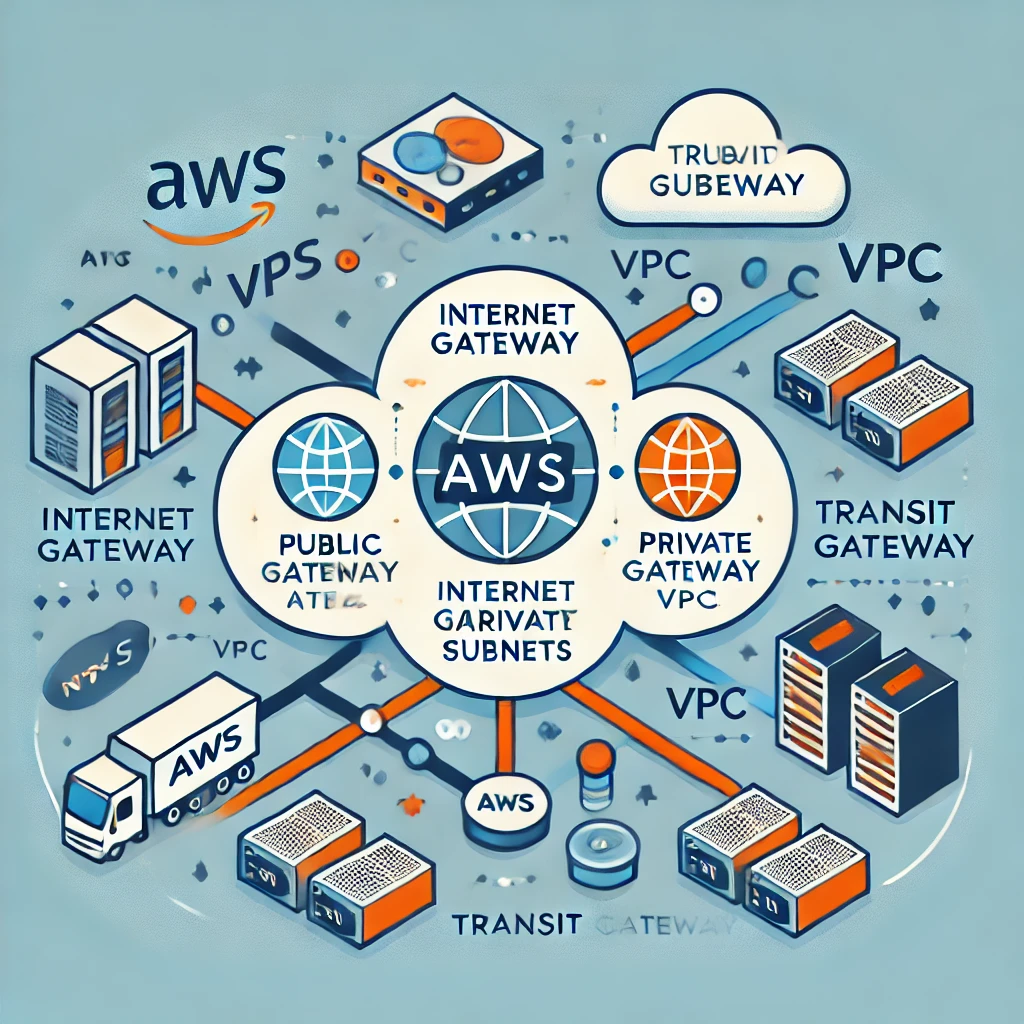
The purpose of this post is to garner a deep understanding of AWS networking, particularly focusing on building scalable, secure, and efficient cloud infrastructure using Virtual Private Clouds (VPCs).
By the end of this post, we will get the knowledge to design and manage AWS networks that can grow with our application needs while maintaining robust security.
In this post I will be exploring on
Understanding VPCs: How to create and manage VPCs, which are foundational to AWS networking.
Scalability and Security: We will discover the importance of designing your VPCs for both scalability and security from the start.
Practical Implementation: Gain insights into best practices for implementing and maintaining a scalable and secure network in AWS.
The post is based on the AWS Re:Invent video
Introduction to AWS Networking
AWS networking is the backbone of cloud infrastructure. It lets you connect, manage, and secure your resources in the cloud. At the core of AWS networking is the Virtual Private Cloud (VPC), a virtual network dedicated to your AWS account. A VPC lets you define your IP address ranges, create subnets, and set up routing tables and gateways.
A well-designed VPC enables your applications to scale efficiently and ensures that your data remains secure. This makes understanding VPCs crucial for anyone working with AWS.
What is a Virtual Private Cloud (VPC)?
A Virtual Private Cloud (VPC) is a logically isolated network within the AWS cloud. It lets you launch AWS resources, like EC2 instances, into a virtual network that you’ve defined. You have complete control over your virtual networking environment.
This includes you can select your IP address range, the creation of subnets, and the configuration of route tables and network gateways.
VPCs provide the framework within which all your AWS resources operate. They allow you to manage network traffic, isolate sensitive data, and ensure high availability. Without a properly configured VPC, your applications could be exposed to security risks, performance bottlenecks, and scalability issues.
Key Components of a VPC:
Subnets: Subnets allow you to partition your VPC’s IP address range into smaller, more manageable sections. You can create public subnets, which are accessible from the internet, and private subnets, which are not.
Route Tables: Route tables contain a set of rules, called routes, that determine where network traffic is directed. Each subnet in your VPC must be associated with a route table.
Internet Gateway: An internet gateway enables communication between your VPC and the internet. It allows instances in your public subnets to access the internet.
NAT Gateway: A NAT gateway allows instances in private subnets to connect to the internet while preventing the internet from initiating connections with those instances.
Security Groups and Network ACLs: These are virtual firewalls that control inbound and outbound traffic to your instances. Security groups act at the instance level, while network ACLs act at the subnet level.
Building a Scalable and Secure VPC
Creating a VPC is the first step in deploying your infrastructure on AWS. Here’s a step-by-step guide to building a scalable and secure VPC:
1. Choose Your AWS Region
Your VPC will reside in an AWS region, which is a geographic area that contains multiple availability zones (AZs). The region you choose will impact latency, cost, and compliance. For optimal performance, select a region that is geographically close to your users.
2. Design Your Subnets
Subnets allow you to divide your VPC into smaller networks. AWS recommends placing resources that need to be accessible from the internet, such as web servers, in public subnets. Resources that don’t need internet access, like databases, should be placed in private subnets.
Why This Matters: By separating public and private resources, you enhance security and improve resource management. For example, you can route traffic from the internet to a public subnet and then securely communicate with private resources using private IP addresses.
3. Set Up Route Tables
Route tables determine how traffic is directed within your VPC. Each subnet must be associated with a route table. A common setup involves creating a route table for public subnets that directs traffic to an internet gateway and a separate route table for private subnets.
Key Consideration: Proper configuration of route tables is crucial for ensuring that traffic flows correctly within your VPC. Misconfigured routes can lead to connectivity issues or expose your private resources to the internet.
4. Implement Security Groups and Network ACLs
Security groups and network ACLs control traffic to and from your AWS resources. Security groups operate at the instance level and are stateful, meaning that return traffic is automatically allowed regardless of inbound or outbound rules. Network ACLs operate at the subnet level and are stateless, meaning that return traffic must be explicitly allowed by rules.
Best Practices for Security Groups and ACLs:
Least Privilege Principle: Only allow the minimum required traffic to and from your instances. This reduces the attack surface.
Use Tags: Tag your security groups and ACLs to manage them more effectively. This is especially useful in large environments.
Regularly Review Rules: Periodically audit your security groups and ACLs to ensure that no unnecessary rules have been added.
The Importance of Scalability
Scalability is the ability of your network to grow with your application. As your application attracts more users, your network must be able to handle the increased traffic without compromising performance. AWS provides several features that help you design scalable VPCs.
1. Auto Scaling
Auto Scaling allows your AWS resources to scale automatically based on demand. You can set up scaling policies that adjust the number of EC2 instances in your VPC based on metrics like CPU usage or network traffic.
If you’re familiar with traditional server environments, Auto Scaling in AWS is like adding or removing servers from a load balancer based on traffic. The key difference is that AWS automates this process, ensuring that your application can handle fluctuations in traffic without manual intervention.
2. Elastic Load Balancing (ELB)
ELB distributes incoming application traffic across multiple targets, such as EC2 instances, in one or more availability zones. This helps you achieve fault tolerance and high availability.
By spreading traffic across multiple instances, ELB ensures that no single instance is overwhelmed by requests. This is particularly important for applications that experience sudden spikes in traffic.
3. Multi-AZ Deployments
Deploying your resources across multiple availability zones (AZs) ensures that your application remains available even if one AZ experiences an outage. AWS regions are made up of multiple AZs, each isolated from the others.
Multi-AZ deployments are critical for achieving high availability. They provide redundancy, ensuring that your application can continue operating even during infrastructure failures.
Best Practices for Securing Your VPC
Security is a top priority when building a VPC. AWS provides several tools and services to help you secure your VPC and the resources within it.
1. Use Security Groups and Network ACLs
Security groups and network ACLs are your first line of defense. Ensure they are configured to allow only the traffic that is necessary for your application to function. Implement the principle of least privilege by restricting access to and from your instances as much as possible.
2. Enable Logging and Monitoring
AWS CloudTrail and VPC Flow Logs allow you to monitor traffic and detect suspicious activity. CloudTrail records AWS API calls for your account, while VPC Flow Logs capture information about the IP traffic going to and from network interfaces in your VPC.
Logging and monitoring provide visibility into your network traffic. This is crucial for identifying potential security threats and ensuring compliance with regulatory requirements.
3. Implement Multi-Factor Authentication (MFA)
Use MFA to secure access to your AWS management console. MFA requires users to provide two forms of authentication—something they know (like a password) and something they have (like a smartphone app)—before they can log in.
MFA adds an extra layer of security to your AWS account. Even if a user’s password is compromised, an attacker would still need the second form of authentication to gain access.
4. Regularly Update Your Security Policies
Security is an ongoing process. Regularly review and update your security groups, network ACLs, and IAM policies to address new threats and vulnerabilities.
In traditional IT environments, security policies might be updated quarterly or annually. In a cloud environment, updates should be more frequent to keep pace with the evolving threat landscape.
Few Questions and Answers
Q: What is the role of a Virtual Private Cloud (VPC) in AWS networking? A: A VPC is a logically isolated network within the AWS cloud that allows you to launch resources into a virtual network that you’ve defined. It provides the framework for managing network traffic, ensuring security, and enabling scalability.
Q: Why is it important to design a VPC for scalability? A: As your application grows, your network needs to handle increased traffic without compromising performance. Designing your VPC with scalability in mind ensures that your resources can scale efficiently, avoiding bottlenecks and ensuring high availability.
Q: How do security groups and network ACLs differ? A: Security groups operate at the instance level and are stateful, meaning return traffic is automatically allowed. Network ACLs operate at the subnet level and are stateless, meaning return traffic must be explicitly allowed by rules.
Q: What are some best practices for securing a VPC? A: Best practices include using security groups and network ACLs to restrict access, enabling logging and monitoring, implementing multi-factor authentication (MFA), and regularly updating security policies.
Q: How does Elastic Load Balancing (ELB) contribute to high availability? A: ELB distributes incoming traffic across multiple targets, such as EC2 instances, ensuring that no single instance is overwhelmed. This helps maintain high availability by preventing any one instance from becoming a single point of failure.
e.ggtimer.com – a simple online timer for your daily needs.
random.org – pick random numbers, flip coins, and more.
remove.bg — remove the background from any photograph without firing up Photoshop. Also see unscreen.com for removing the background from GIFs and videos.
myfonts.com/WhatTheFont – upload an image of any text and quickly determine the font family.
file.pizza — peer to peer file transfer over WebRTC without any middleman.
snapdrop.com — like Apple AirDrop but for the web. Share files directly between devices in the same network without having to upload them to any server first.
The most useful Twitter utility bots that work within the Twitter ecosystem.
Set reminders with @RemindMe_OfThis
An open-source Twitter bot that lets you easily set reminders for public tweets. Mention @RemindMe_OfThis in the reply of any tweet and specify the time in natural English when you would like to reminded of that tweet.
You could say things like in 2 days or in 12 hours or next week or even in 5 years. Check out the source on Github.
Save Twitter Threads with @ThreadReaderApp
The gurus on Twitter have figured out that threads are the best way to extend the reach of their tweets and @ThreadReaderApp makes is really easy for you read and save these threads.
To get started, reply to any tweet of a thread and mention @threadreaderapp with the “unroll” keyword. and they create a single page with all the tweets arranged in chronologicusefual order. Blog posts anyone?
Reply to a tweet with the word “screenshot this” and mention @pikaso_me in the reply. You’ll receive a reply tweet with a screenshot image of the original tweet.
The twitter bot capture images in tweets but you can also use Screenshot Guru for that.
Download Videos with @DownloaderBot
You can easily download any video or GIF image from tweets with the help of this Twitter bot.
Mention @DownloaderBot in a reply to any tweet that contains either a video or a gif image, and you will receive a reply with the direct link to download the media.
Twitter, like YouTube, may have a love-hate relationship with bots that allow downloading videos off their platform so it is always a good idea to bookmarks some alternatives. There’s @GetVideoBot, @SendVidBot and @Get_This_V.
How do I contact the owner of a website? Where is a particular website hosted? What other websites are hosted on that same server? Is the site using WordPress or Gatsby? Which ad networks are they using to monetize a site? Is my site accessible from China?
Here are some of the most useful online tools that will help you know every single detail of any website.
just-ping.com — Use Just Ping to determine if a particular website is accessible from other countries. Just Ping has monitoring servers across the world including Turkey, Egypt, and China so if the ping results say 100% Packet Loss, most likely the site is inaccessible from that region.
who.is — If you like to know the contact address, email and phone number of the website owner, this free whois lookup service will help. This is a universal lookup service meaning it can simultaneously query the whois database of all popular domain registrars.
whoishostingthis.com — Enter the URL of any website and this online service will show you the name of the company where that website is hosted. This may come handy if you need the contact information of the web hosting provider for writing a DMCA Notice or if you are looking to switch web hosts.
chillingeffects.org — When there’s a copyright-related complaint against a website, a copy of that letter is archived in the Chilling Effects database. Anyone can query this public database to know about all the copyright infringement complaints against a particular website.
myip.ms — MyIP.ms offers a comprehensive report of any website or I.P. Address. You get to know about the hosting provider, the physical location of a website, the IP Address change history of a website and the DNS information. Netcraft also offers similar reports.
reversewhois.com — The reverse whois lookup will help you determine other websites of someone. You can search the whois database by the email address or name of the domain registrant.
builtwith.com — Use BuiltWith to know the technology stack of any website. It helps you figure out the mail service provider of a domain, the advertising partners, the tracking widgets that are installed on a website and whether the site is using any CDN like Amazon S3 or Google Cloud. See example.
ssllabs.com – The certificate diagnostics tool will verify your site’s SSL certificate and ensure that it is correctly installed, trusted and does not show errors to any of your site visitors.
semrush.com — If you wish to analyze your competitor’s website, this is the tool to go with. SEM Rush will help you figure what organic keywords are people using to find a website, what is the site’s traffic and which are the competing websites.
dnsmap.io — When you buy a new domain or switch from one host to another, the DNS records for the domain changes and it may take a while to propagate these changes worldwide. The tool checks the DNS records from various geographic locations and it can check your domain’s A, CNAME, TXT and MX records. whatsmydns.net is also a good alternative.
toolbox.googleapps.com — If email messages, including those sent via Mail Merge, from your domain are not reaching the recipient’s mailbox, use this Google tool to confirm that DMARC, DKIM and SPF records are properly configured for your domain.
browserstack.com – Check your website’s responsive design on multiple desktops, tables, iOS and Android phones running different versions of operating systems.
screenshot.guru – If a website is inaccessible, use Screenshot Guru, hosted on the Google Cloud, to confirm if the website is down or not.
thinkwithgoogle.com – A mobile speed tool developed by Google that will help you determine how fast your websites will load on mobile phones on 3G and 4G network. You can also compare your mobile speed score with other websites.
testmysite.io – A simple site testing tool from Netlify that will measure and rank your site’s loading time from different regions around the world.
developers.google.com — Find the Page Speed score of any website on both desktop and mobile devices. The higher this number, the better. The Google tool also offers suggestions on how the score can be improved.
httparchive.org — The HTTP Archive is a repository of all performance-related metrics for a website. It keeps a record of the size of pages, their average load time and the number of failed requests (missing resources) over time.
Website Monitor – Use this open-source Google Sheets based website monitoring tool to get alerts when your domain goes down or is inaccessible.
Flush DNS – Use this tool to flush the Google DNS cache for a domain. If you changed the DNS servers for your domain, by changing registrars or DNS hosting in the last few days, flush your main domain name first before you flush any subdomains. OpenDNS also has a web tool for refreshing the DNS cache.
DomainTools – The tool monitors one or more web domains and sends email alerts when the domain is expiring, the domain gets renewed, the nameservers change or when the registrant information is updated for the domain.
Good, high-quality images add visual interest to your website. Another reason why photos have become so important is because web pages that include good photos get better engagement when shared on social sites like Twitter and Facebook.
Download High Quality Images for Free
The web offers billions of photos that are just a Google search away. The images that are in public domain, or licensed under the Creative Commons license, can be used without any copyright issues.
The only problem is that Google may not always surface the best content that is free. Their algorithms, at least for image search, prefer pages from premium stock photography websites and the free listings thus lose out. If Google isn’t helping in your quest for images, here are some of the best websites where you may find high-quality photos for free.
1.unsplash.com (Unsplash) – This is my favorite website for downloading high-resolution photographs. Subscribe to the email newsletter and you’ll get 10 photos in your inbox every 10 days. All images are under the CC0 license meaning they are in public domain and you are free to use them in any way you like.
2.google.com (LIFE) – The Google images website hosts millions of historical photographs from the LIFE library. You can add source:life to any query in Google image search to find these images and they are free for personal, non-commercial use.
3.flickr.com (The British Library) – The national library of the UK has uploaded over a million vintage photographs and scanned images to Flickr that are now in pubic domain and they encourage re-use.
4.picjubmo.com (Picjumbo) – Here you’ll find exceptionally high-quality photos for your personal and commercial use. The pictures have been shot by the site owner himself and all he requests for in return is proper attribution.
5.pixabay.com (Pixabay) – All the images on Pixabay are available under the CC0 license and thus can be used anywhere. Like Flickr, there’s an option to browse photographs by camera model as well.
6.publicdomainarchive.com (Public Domain Archive) – This is an impressive online repository of public domain images that are neatly organized in categories. It contains only high quality photos though the collection is limited at this time.
7.commons.wikimedia.org (Wikimedia Commons) – The site hosts 21+ million images under some kind of free license or in the public domain. The images are arranged in categories or you can find images through search keywords.
8.superfamous.com (Super Famous) – Another great resource for finding high-res images for your websites and other design projects. The images are licensed under Creative Commons and require attribution.
9.nos.twnsnd.co (New Old Stock) – Here you will find a curated collection of vintage photographs from public archives that are free of any copyright restrictions. If you are trying to create a twitter feed like @HistoricalPics, this might be a good source for images.
10.freeimages.com (Stock Exchange) – This is one of the biggest repositories of free images and graphics that you can use for almost any purpose. You do however need to sign-in to download the images. The site, previously hosted on the schx.hu domain, is now part of Getty Images.
11.raumrot.com (Raumrot) – The site features beautiful, hi-res 300DPI stock photographs available for both personal and commercial use. The pictures are sorted by subject and available under Creative Commons.
12.gettyimages.com (Getty Images) – If you are looking for professional images for your website but without the expensive license fee, Getty has something in store for you. You can embed pictures from Getty Images for free on your website though in future, the embeds may carry ads.
13.pdpics.com (Public Domain Photos) – The website contains thousands of royalty free images that can be used in both personal and commercial projects but with attribution. Unlike other sites that merely curate content, the images found here have been clicked by their in-house photographers.
14.imcreator.com (IM Free) – A curated collection of outstanding high-quality photos on all subjects that are also free for commercial use. The images have mostly been sourced from Flickr and require attribution.
15.photopin.com (Photo Pin) – Flickr is among the biggest repository of photographs on the web and Photo Pin helps you easily find photos on Flickr that are available under the Creative Commons license. You get the embed code as well so you don’t have to host the images on your own server.
16.kaboompics.com (Kaboom Pics) – Karolina Grabowska, a web designer from Poland, has uploaded 550+ high-resolution photos (240-300dpi ) that you can use for all kind of projects included commercial ones. The photos are arranged in categories and tags or you can use the search box to quickly find images on various subjects.
17.morguefile.com (Morgue File) – The site hosts 300,000+ free images and you are free to use them in both personal and commercial projects even without attribution. The image gallery has a built-in cropping tool and you can even hotlink the images from your website.
18.magdeleine.co (Magdeleine) – Hand-picked and free stock photos that you can search by subject, mood or even the dominant color. Some of the images are copyright free and you can do whatever you like with those photos.
Tip: How to avoid common photos
You may have found a great photo that is perfect for your project but there’s a probability that several other websites are using the same image. It will therefore help if you do a reverse image search using Google Images to estimate the relative popularity of that image on the Internet.
The Learn to Code movement has picked up momentum worldwide and that is actually a good thing as even basic programming skills can have a major impact. If you can teach yourself how to write code, you gain a competitive edge over your peers, you can think more algorithmically and thus can tackle problems more efficiently.
Don’t just download the latest app, help redesign it. Don’t just play on your phone, program it. — Obama.
There’s no reason why shouldn’t know the basics of coding. You can automate tasks, you can program your Excel sheets, improve workflows, you can extract data from websites and accomplish so much more with code. You may not be in the business of writing software programs but knowing the basics of coding will help you communicate more effectively with developers.
Gone are the days when you had to enroll in expensive computer training classes as now exist a plethora of web-based courses that will help you learn programming at your own pace in the comfort of your web browser.
The Best Sites to Learn Programming
If you are ready to take the plunge, here are some of the best websites that offer courses in a variety of programming languages for free. I have also added a list of companion ebooks that will give you a more in-depth understanding of the language and they don’t cost anything either.
If there are kids in the family, you should download either Tynker (Android/iOS) or the Hopscotch app for iPad and they can learn the basics of programming through games and puzzles.
There’s also Scratch, an MIT project that allows kids to program their own stories and games visually. Scratch is available as a web app or you can download it on your Mac/Windows/Linux computer for offline use. Microsoft TouchDevelop, Blockly and Alice are some other web apps that will introduce the concepts of computer progamming to your children.
On a related note, the following chart from Google Trends shows the relative search popularity of various programming languages over the last 5 years. The interest in PHP has dipped over the years, JavaScript has more or less maintained its position while the popularity of Python & Node.js is on the rise.
This is a list of essential tools and services for coding that I think should be part of every web programmer’s toolkit.
Whether you a building a simple “Hello World” app or a complex web application, these tools should make your coding easier and increase productivity.
The Web Developer’s Toolkit
1. devdocs.io — API documentation for all popular programming languages and frameworks. Includes instant search and works offline too.
2. glitch.com — create your own web apps in the browser, import GitHub repos, use any NPM package or build on any popular frameworks and directly deploy to Firebase.
3. bundlephobia.com — quickly find the import cost (download size) of any package in the NPM registry. Or upload your package.json file to scan all dependencies in your project.
4. babeljs.io/repl — Write your code in modern JavaScript and let Babel transform your code into JavaScript that is compatible with even older browsers.
5. codeply.com — quickly build frontend responsive layouts with frameworks like Bootstrap, Materialize CSS and SemanticUI.
6. httpie.org — a command-line tool that is useful for making HTTP requests to web servers and RESTful APIs. Almost as powerful as CURL and Wget but simpler.
10. explainshell.com — Type any Unix command and get a visual explanation of each flag and argument in the command.
11. tldr.ostera.io — Unix man pages are long and complex. This site offers practical examples for all popular Unix command without you having to dive into the man pages.
12. mockaroo.com — quickly generate dummy test data in the browser in CSV, JSON, SQL and other export formats.
13. jsdelivr.com — Serve any GitHub file or WordPress plugin through a CDN. Combine multiple files in a single URL, add “.min” to any JS/CSS file to get a minified version automatically. Also see unpkg.com.
14. carbon.now.sh — create beautiful screenshots of your source code. Offers syntax highlighting for all popular languages.
15. wakatime.com — know exactly how long you spend coding with detailed metrics per file and even language. Integrates with VS Code, Sublime text, and all popular code editors.
16. astexplorer.net — paste your JavaScript code into the editor and generate the Abstract Syntax Tree that will help you understand how the JavaScript parser works.
17. hyper.is — A better alternative to the command line terminal and also iTerm. Use with the Oh My Zsh shell and add superpowers to your terminal.
18. curlbuilder.com — make your own CURL requests in the browser.
20. trackjs.com — monitor errors in your JavaScript based web projects and get instant email notifications when a new error is detected.
21. ngrok.com — Start a local web server, fire up ngrok, point to the port where the localhost is running and get a public URL of your tunnel.
22. codeshare.io — An online code editor for pair programming, live interviews with video conferences or for teaching code to students remotely.
23. webhooks.site — Easily inspect the payloads and debug HTTP webhooks in the browser. All HTTP requests are logged in real-time. Another good alternative is RequestBin.
24. surge.sh — the easiest way to deploy web pages and other static content from the command line. Supports custom domains and SSL. Also see Zeit Now.
25. visbug — A must-have add-on for web developers that brings useful web design tools right in your browser. Available for Google Chrome and Firefox.
26. puppeteersandbox.com — Puppeteer is a Node.js framework for automating Google Chrome. Use the sandbox to quickly test your scripts in the browser. Also see try-puppeteer.com.
27. prettier.io/playground — Beautify your JavaScript and TypeScript code using Prettier, the favorite code formatter of programmers.
28. json.parser.online.fr — The only JSON parser you’ll ever need to analyze and beautify your complex JSON strings.
29. scrimba.com — Create your own programming screencasts in the browser or watch other developers code.code.
30. katacoda.com — A training platform for software developers where anyone can create their own dedicated and interactive training environments.
31. codesandbox.io — A full-featured online IDE where you can create web applications in all popular languages including vanilla JavaScript, React, TypeScript, Vue and Angular. Also see StackBlitz.com and Repl.it.
32. apify.com — Write your own web scrapers using JavaScript and schedule your scrapers to run at specific intervals automatically.
33. vim-adventures.com — The Vim text editor is hugely popular among programmers. The site will help you master the various key commands through a game.
34. insomnia.rest — A desktop based REST client that lets you create HTTP requests and view response details all in a easy-to-use interface. Advanced users may consider Postman.
For the past few months, I have been on a learning spree looking to enhance my existing coding skills and also learn new programming languages and frameworks. In this process, I have watched a countless number of video tutorials and online courses that pertain to programming and, specifically, web development.
In my quest to become a better developer, I’ve come across several awesome “teachers” who aren’t just excellent programmers but awesome educators and have the art of explaining complex and difficult concepts.
Learn Modern Web Programming with the Best Online Teachers
This is an attempt to highlight the best instructors on the Internet for JavaScript, React, Redux, Node.js, Firebase (database and storage), Docker, Google Golang, Typescript, Flutter (for mobile app development), Dart, Git, Webpack and Parcel bundler.
I’ve taken courses by every single instructor mentioned here (PDF) and recommend them highly.
While I have tried this on ubuntu-server, the steps should work for all Linux versions
I installed Docker on Ubuntu. It was super easy. But when I tried to run a docker command, it threw this error at me:
Got permission denied while trying to connect to the Docker daemon socket at unix:///var/run/docker.sock: Get http://%2Fvar%2Frun%2Fdocker.sock/v1.39/containers/json: dial unix /var/run/docker.sock: connect: permission denied
It’s not that I am trying to run something special. It happens for basic docker commands like docker ps as well.
The error is basically for the user not having the required permission to access the docker.sock file while running docker. The fix is pretty simple.
Fixing ‘Got permission denied while trying to connect to the Docker daemon socket’ error with Docker
Fix 1: Run all the docker commands with sudo
If you have sudo access on your system, you may run each docker command with sudo and you won’t see this ‘Got permission denied while trying to connect to the Docker daemon socket’ anymore.
$ sudo docker ps -a
CONTAINER ID        IMAGE               COMMAND             CREATED             STATUS                    PORTS               NAMES
13dc0f4226dc        ubuntu              "bash"              17 hours ago        Exited (0) 16 hours ago                       container-2
2d9a8c190e6c        ubuntu              "/bin/bash"         17 hours ago        Created                                       container-1
But running each and every docker command with sudo is super inconvenient. You miss adding sudo to the beginning and you’ll get a ‘permission denied’ error again.
Fix 2: Running docker commands without sudo
To run the docker commands without sudo, you can add your user account (or the account you are trying to fix this problem for) to the docker group.
First, create the docker group using groupadd command. The group may already exist but running the group creation command won’t hurt.
$ sudo groupadd docker
Now that you have the docker group, add your user to this group with the usermod command. I am assuming that you are trying to do it for your own user account and in that case, you can use the $USER variable.
$ sudo usermod -aG docker $USER
Verify that your user has been added to docker group by listing the users of the group. You probably have to log out and log in back again.
$ groups
singho adm cdrom sudo dip plugdev docker
If you check your groups and docker groups are not listed even after logging out, you may have to restart Ubuntu. To avoid that, you can use the newgrp command like this:
$ newgrp docker
Now if you try running the docker commands without sudo, it should work just fine.
Troubleshooting
In some cases, you may need to add additional permissions to some files especially if you have run the docker commands with sudo in the past.
You may try changing the group ownership of the /var/run/docker.sock file.
$ sudo chown root:docker /var/run/docker.sock
You may also try changing the group ownership of the ~/.docker directory.
# use the equivalent for your distribution
$ sudo apt install libvirt-daemon-system
Switch the Multipass driver to libvirt
First, allow Multipass to use your local libvirt:
# connect the libvirt interface/plug
$ sudo snap connect multipass:libvirt
Then, to switch the Multipass driver to libvirt, run:
# you'll need to stop all the instances first
$ multipass stop --all

# and tell Multipass to use libvirt
$ multipass set local.driver=libvirt
All your existing instances will be migrated and can be used straight away.
You can still use the multipass client and the tray icon, and any changes you make to the configuration of the instance in libvirt will be persistent. They may not be represented in Multipass commands such as multipass info, though.
Use libvirt to view Multipass instances
You can view instances with libvirt in two ways, using the virsh CLI or the virt-manager GUI.
To use the virsh CLI, launch an instance and then execute virsh list (see man virsh for a command reference):
[~ (master)]$ virsh list
 Id   Name     State
------------------------
 1    node1    running
 2    node12   running
 3    node13   running
 4    node4    running
Switch back to the default driver
To switch back to the default qemu driver, execute:
# stop all instances again
$ multipass stop --all

# and switch back to the qemu driver
$ multipass set local.driver=qemu