Most people assume the hardest part of CKAD prep is Kubernetes itself, which is not really true.
The API groups, the object specs, the speed, the pressure. That is the theory. In practice, the real challenge often hides somewhere else. For me, it appeared before I even typed the first kubectl command.
It came from VirtualBox.
I started my CKAD journey with a familiar mindset: keep everything local. A self-contained environment felt safe. No cloud costs. No accidental AWS instance running overnight. A 16 GB Mac should be able to handle a few VMs. VirtualBox was easy to install and widely used, so the decision felt harmless.
But the early warning signs showed up quickly.
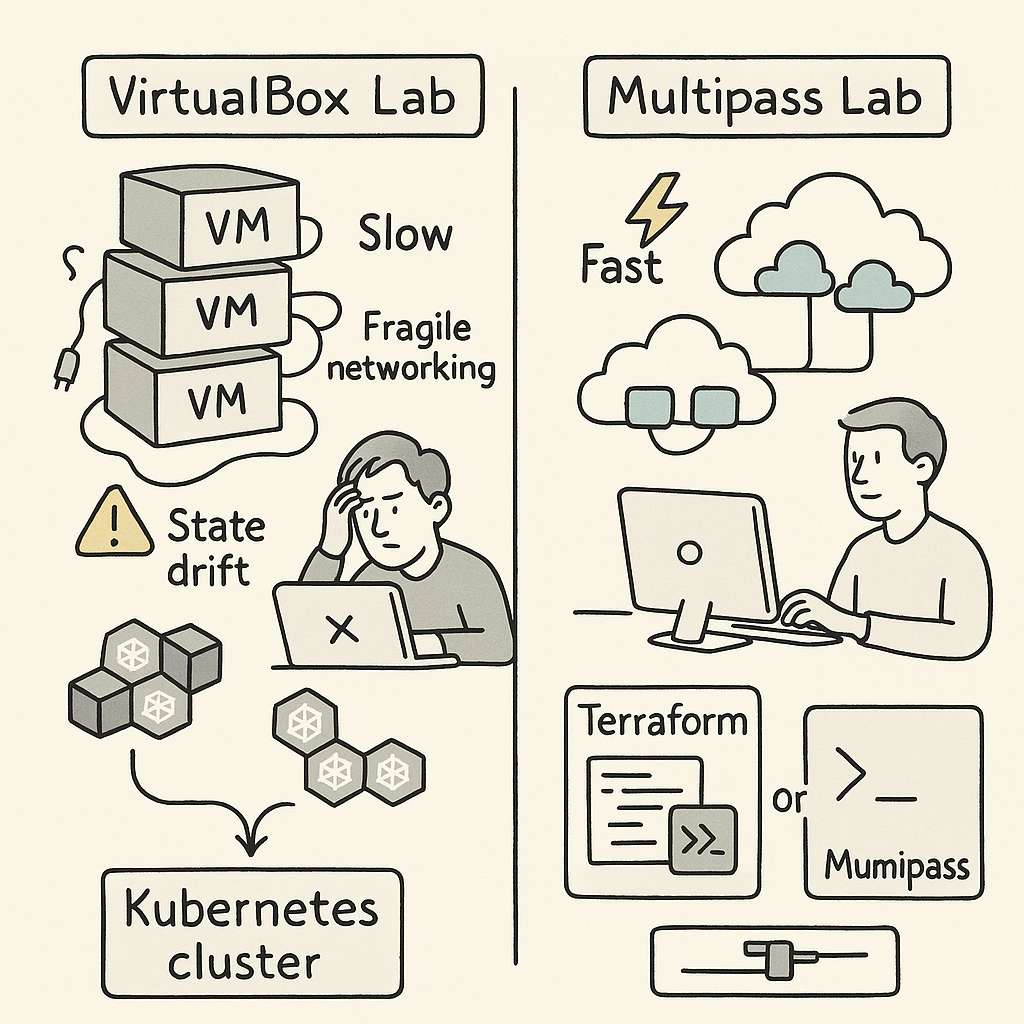
VirtualBox VMs booted slowly. Some days they refused to start at all, because of improper shutdown, state issues. Networking behaved unpredictably. The host-only adapter never work with the cluster. I need to manually set additional interface for everything to work properly. DHCP leases would get stuck. Even a slight configuration change on the host could collapse the cluster setup. Every session started with “fix the lab” before I even got to “practice Kubernetes.”
That was the first realization: the VM layer was consuming more attention than the exam material.
To reduce the chaos, I tried to make the setup reproducible. I wrote provisioning scripts. I created Terraform configs. I stored reusable YAML manifests. The intention was simple. If the environment was stable, I could focus on higher-level Kubernetes concepts: Deployments, ConfigMaps, RBAC, resource limits, service discovery. But VirtualBox had its own logic. A week away from the labs and something broke again. State drift slowly ate away predictability.
you can check everything on my git repo at
https://github.com/omps/kubestronaut
The bigger issue was hidden inside the workflow. VirtualBox is not lightweight. It runs complete VMs with full operating systems. Running multiple nodes on a 16 GB machine means you are always fighting for RAM and I/O. When nodes slow down, Kubernetes slows down. And when Kubernetes slows down, even simple tasks start taking more time than they should.
None of this helped me get better at Kubernetes. It only helped me become better at debugging VirtualBox. I was feeling stuck and helpless and spending a lot of time fixing labs. During the practice session the results are not consistent causing me more trouble.
Eventually, I asked a simple question:
Why am I fighting my tools more than I’m learning the subject?
That pushed me to explore alternatives. I didn’t want full cloud cost exposure. I didn’t want minikube because it didn’t match multi-node workflows. I didn’t want Docker Desktop for the same reason. I wanted something predictable, fast, and disposable.
That is when I moved to Multipass.
The difference was immediate. Multipass offered a cleaner, lighter way to run Ubuntu instances. No heavy UI. No complex host adapters. No tangled virtualization settings. It gave me minimal virtual machines that behaved like cloud instances without the cloud price. Instances launched quickly, networking was straightforward, and I could reset everything in seconds.
Most importantly, the environment did not drift.
Every lab session began exactly the same way as the previous one. That was the turning point. Consistency is a hidden productivity multiplier in CKAD prep. When your muscle memory builds around predictable infrastructure, each new concept sits more cleanly in your head. With Multipass, I was no longer solving host problems. I was solving Kubernetes problems.
It also removed the overhead of maintaining Terraform for local labs. Terraform was useful but still tied to VirtualBox’s VM lifecycle. In Multipass, a single command created an instance that felt almost cloud-native. It aligned better with how Kubernetes clusters behave in real environments.
Once the infrastructure friction disappeared, the actual exam prep began to move faster. I could practice object creation, troubleshoot pods, play with services, experiment with ConfigMaps, and attempt exercises repeatedly without waiting for VMs to warm up.
A few lessons from this cycle are worth calling out for anyone preparing for CKAD:
First, the exam environment now includes command completion and essential aliases.
Stop wasting time installing bash completion or trying to replicate shortcuts or create aliases during exam. The exam already gives you what you need. Use that time to master object structure and common tasks.
Second, embrace --dry-run=client -o yaml.
This is one of the fastest ways to generate object manifests without writing YAML manually. It helps you think in terms of Kubernetes objects instead of memorizing syntax.
Third, understand how Kubernetes models everything as an object.
Whether it is a Deployment, Service, ConfigMap, Secret, Pod, Role, or StorageClass, each one is built from desired state, metadata, and spec. Once this mental model clicks, CKAD becomes far easier to navigate.
Fourth, know when to use run and when to use create.kubectl run is built for temporary, single-pod scenarios. It is good for debugging and quick tests.kubectl create targets real objects. It is the gateway to reproducible YAML and is relevant across the entire Kubernetes API.
These are the foundations of CKAD speed.
But the deeper insight is this:
The environment you choose shapes the quality of your learning.
VirtualBox worked, but it pulled me into infrastructure rabbit holes that had nothing to do with the exam. The mental fatigue was real. Multipass removed the noise and gave me room to think. The result was better consistency, better focus, and far more productive study hours.
If your CKAD prep feels slower than expected, don’t rush to blame Kubernetes. Examine your environment. A fragile setup will drain your energy and dilute your progress. A clean, lightweight one will amplify your momentum.
For me, the shift from VirtualBox to Multipass turned CKAD prep from a frustrating grind into a structured learning path. That is why I recommend evaluating your tooling early. The right environment does not make Kubernetes easier, but it makes learning it far more efficient.
Sometimes the fastest path to mastery is removing the obstacles you didn’t even realize were slowing you down.