Tag: #Kubernetes

  • When Your Lab Becomes the Problem: Why I Moved from VirtualBox to Multipass

    When Your Lab Becomes the Problem: Why I Moved from VirtualBox to Multipass

    Most people assume the hardest part of CKAD prep is Kubernetes itself, which is not really true.

    The API groups, the object specs, the speed, the pressure. That is the theory. In practice, the real challenge often hides somewhere else. For me, it appeared before I even typed the first kubectl command.

    It came from VirtualBox.

    I started my CKAD journey with a familiar mindset: keep everything local. A self-contained environment felt safe. No cloud costs. No accidental AWS instance running overnight. A 16 GB Mac should be able to handle a few VMs. VirtualBox was easy to install and widely used, so the decision felt harmless.

    But the early warning signs showed up quickly.

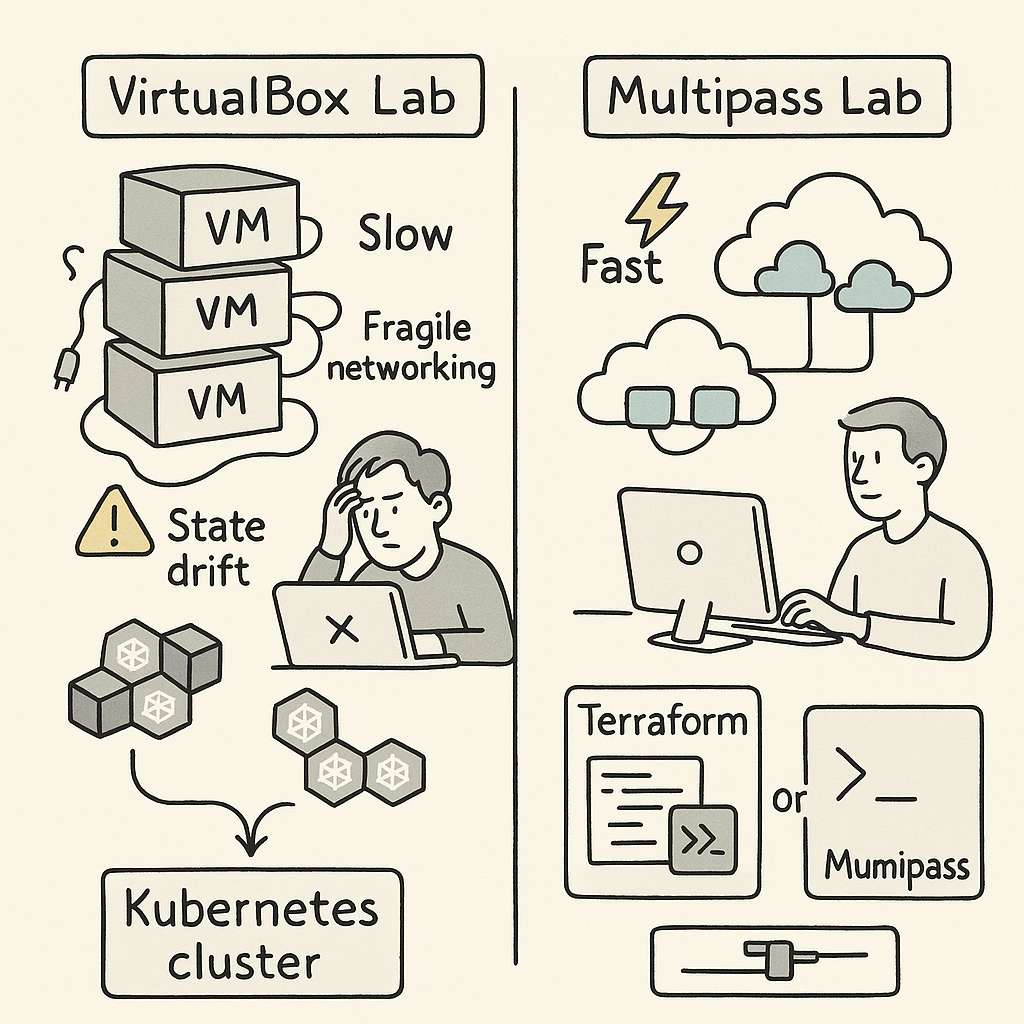
    VirtualBox VMs booted slowly. Some days they refused to start at all, because of improper shutdown, state issues. Networking behaved unpredictably. The host-only adapter never work with the cluster. I need to manually set additional interface for everything to work properly. DHCP leases would get stuck. Even a slight configuration change on the host could collapse the cluster setup. Every session started with “fix the lab” before I even got to “practice Kubernetes.”

    That was the first realization: the VM layer was consuming more attention than the exam material.

    To reduce the chaos, I tried to make the setup reproducible. I wrote provisioning scripts. I created Terraform configs. I stored reusable YAML manifests. The intention was simple. If the environment was stable, I could focus on higher-level Kubernetes concepts: Deployments, ConfigMaps, RBAC, resource limits, service discovery. But VirtualBox had its own logic. A week away from the labs and something broke again. State drift slowly ate away predictability.

    you can check everything on my git repo at

    https://github.com/omps/kubestronaut

    The bigger issue was hidden inside the workflow. VirtualBox is not lightweight. It runs complete VMs with full operating systems. Running multiple nodes on a 16 GB machine means you are always fighting for RAM and I/O. When nodes slow down, Kubernetes slows down. And when Kubernetes slows down, even simple tasks start taking more time than they should.

    None of this helped me get better at Kubernetes. It only helped me become better at debugging VirtualBox. I was feeling stuck and helpless and spending a lot of time fixing labs. During the practice session the results are not consistent causing me more trouble.

    Eventually, I asked a simple question:
    Why am I fighting my tools more than I’m learning the subject?

    That pushed me to explore alternatives. I didn’t want full cloud cost exposure. I didn’t want minikube because it didn’t match multi-node workflows. I didn’t want Docker Desktop for the same reason. I wanted something predictable, fast, and disposable.

    That is when I moved to Multipass.

    The difference was immediate. Multipass offered a cleaner, lighter way to run Ubuntu instances. No heavy UI. No complex host adapters. No tangled virtualization settings. It gave me minimal virtual machines that behaved like cloud instances without the cloud price. Instances launched quickly, networking was straightforward, and I could reset everything in seconds.

    Most importantly, the environment did not drift.

    Every lab session began exactly the same way as the previous one. That was the turning point. Consistency is a hidden productivity multiplier in CKAD prep. When your muscle memory builds around predictable infrastructure, each new concept sits more cleanly in your head. With Multipass, I was no longer solving host problems. I was solving Kubernetes problems.

    It also removed the overhead of maintaining Terraform for local labs. Terraform was useful but still tied to VirtualBox’s VM lifecycle. In Multipass, a single command created an instance that felt almost cloud-native. It aligned better with how Kubernetes clusters behave in real environments.

    Once the infrastructure friction disappeared, the actual exam prep began to move faster. I could practice object creation, troubleshoot pods, play with services, experiment with ConfigMaps, and attempt exercises repeatedly without waiting for VMs to warm up.

    A few lessons from this cycle are worth calling out for anyone preparing for CKAD:

    First, the exam environment now includes command completion and essential aliases.
    Stop wasting time installing bash completion or trying to replicate shortcuts or create aliases during exam. The exam already gives you what you need. Use that time to master object structure and common tasks.

    Second, embrace --dry-run=client -o yaml.
    This is one of the fastest ways to generate object manifests without writing YAML manually. It helps you think in terms of Kubernetes objects instead of memorizing syntax.

    Third, understand how Kubernetes models everything as an object.
    Whether it is a Deployment, Service, ConfigMap, Secret, Pod, Role, or StorageClass, each one is built from desired state, metadata, and spec. Once this mental model clicks, CKAD becomes far easier to navigate.

    Fourth, know when to use run and when to use create.
    kubectl run is built for temporary, single-pod scenarios. It is good for debugging and quick tests.
    kubectl create targets real objects. It is the gateway to reproducible YAML and is relevant across the entire Kubernetes API.

    These are the foundations of CKAD speed.

    But the deeper insight is this:
    The environment you choose shapes the quality of your learning.

    VirtualBox worked, but it pulled me into infrastructure rabbit holes that had nothing to do with the exam. The mental fatigue was real. Multipass removed the noise and gave me room to think. The result was better consistency, better focus, and far more productive study hours.

    If your CKAD prep feels slower than expected, don’t rush to blame Kubernetes. Examine your environment. A fragile setup will drain your energy and dilute your progress. A clean, lightweight one will amplify your momentum.

    For me, the shift from VirtualBox to Multipass turned CKAD prep from a frustrating grind into a structured learning path. That is why I recommend evaluating your tooling early. The right environment does not make Kubernetes easier, but it makes learning it far more efficient.

    Sometimes the fastest path to mastery is removing the obstacles you didn’t even realize were slowing you down.
  • From Zero to Hello World in 30 Minutes: A Founder’s Field-Guide to Shipping on Google Kubernetes Engine

    From Zero to Hello World in 30 Minutes: A Founder’s Field-Guide to Shipping on Google Kubernetes Engine

    Picture yourself as the CTO of a seed-stage startup on a Tuesday afternoon.
    An investor just pinged you: “Can we see the live MVP by Thursday?”
    Your code works on your laptop, but the world still thinks your product is vaporware.

    You need a runway, not a runway meeting.

    You need Google Kubernetes Engine—the hyperscaler’s equivalent of a fully-staffed launchpad that charges you only for the rocket fuel you actually burn.

    Today I’ll walk the tightrope between tutorial and treatise, turning the official GKE quickstart into a strategic story you can narrate to your board, your devs, or your future self at 2 a.m. when the pager goes off.

    Grab your coffee; we’re going from git clone to “Hello, World!” on a public IP in under thirty billable minutes—and we’ll leave the meter running just low enough that your finance lead doesn’t flinch.


    Act I: The Mythical One-Click Infra (Spoiler—There Are Six Clicks)

    The fairy-tale version says, “Kubernetes is too complex.”
    The reality: GKE’s Autopilot mode abstracts away the yak shaving.
    Google runs the control plane, patches the OS, and even autoscaling is a polite request rather than a YAML epic.
    But before we taste that magic, we have to enable the spellbook.

    1. Create or pick a GCP project—think of it as your private AWS account but with better coffee.
    2. Enable the APIs:
      • Kubernetes Engine API
      • Artifact Registry API

    Clickety-click in the console or one shell incantation:

    gcloud services enable container.googleapis.com artifactregistry.googleapis.com

    Three seconds later, the cloud is officially listening.


    Act II: From Source to Immutable Artifact—The Container Story

    We’ll deploy the canonical “hello-app” written in Go.

    It’s 54 MB: every HTTP request gets a “Hello, World!” and the pod’s hostname.

    Perfect for proving that something is alive.

    1. Clone the samples repo—your starting block:
    git clone https://github.com/GoogleCloudPlatform/kubernetes-engine-samples
    cd kubernetes-engine-samples/quickstarts/hello-app
    1. Stamp your Docker image with your project’s coordinates:
    export PROJECT_ID=$(gcloud config get-value project)
    export REGION=us-west1
    docker build -t ${REGION}-docker.pkg.dev/${PROJECT_ID}/hello-repo/hello-app:v1 .

    Notice the tag: us-west1-docker.pkg.dev/your-project/hello-repo/hello-app:v1.
    That’s not vanity labeling; it’s the fully-qualified address where Artifact Registry will babysit your image.

    1. Push it:
    gcloud auth configure-docker ${REGION}-docker.pkg.dev
    docker push ${REGION}-docker.pkg.dev/${PROJECT_ID}/hello-repo/hello-app:v1

    At this point you have an immutable artifact.
    If prod breaks at 3 a.m., you can roll back to this exact SHA faster than your co-founder can send a panicked Slack emoji.


    Act III: Birth of a Cluster—Autopilot vs. Standard Mode

    Time for the strategic fork in the road.

    • Standard mode = you manage the nodes, the upgrades, the tears.
    • Autopilot mode = Google manages the nodes, you manage the profit margins.

    For an MVP sprint, Autopilot is the moral choice:

    gcloud container clusters create-auto hello-cluster \
      --region=${REGION} \
      --project=${PROJECT_ID}

    Two minutes later, you have a Kubernetes API endpoint that fits in a tweet and a bill that starts at roughly $0.10/hour (plus the free-tier credit that erases the first $74.40 every month).
    If you’re running a single-zone staging cluster, that’s “free” in every language except accounting.


    Act IV: Deploy, Expose, Brag

    The kubectl ceremony is delightfully unceremonial.

    1. Deploy:
    kubectl create deployment hello-app \
      --image=${REGION}-docker.pkg.dev/${PROJECT_ID}/hello-repo/hello-app:v1
    kubectl scale deployment hello-app --replicas=3

    Three pods spin up; Autopilot quietly decides which nodes (virtual though they may be) deserve the honor.

    1. Expose:
    kubectl expose deployment hello-app \
      --type=LoadBalancer --port=80 --target-port=8080

    GCP’s control plane now orchestrates a Layer-4 load balancer—yes, that shiny external IP you’ll text to your users.

    1. Fetch the IP:
    kubectl get service hello-app

    Copy the EXTERNAL-IP, paste it into a browser, and watch the hostname change with every refresh.
    You have just built a globally reachable, autoscaled, self-healing web service while your espresso is still warm.


    Act V: Budget, Burn Rate, and Boardroom Storytelling

    Let’s translate the tachometer into English.

    • Cluster management fee: $0.10/hour (~$74/month without free tier).
    • Workload cost: Autopilot bills per pod resource requests.
      Our hello-app asks politely for 100 mCPU and 128 MiB RAM, so you’re looking at ~$3.50/month for three replicas in us-west1.
    • Load balancer: First forwarding rule is ~$18/month; subsequent rules share the cost.

    Total runway for a three-pod MVP: under $25/month—cheaper than the SaaS subscription you’re probably expensing for CI/CD.


    Act VI: Clean-Up or Level-Up

    If this was just a rehearsal, tear it down:

    kubectl delete service hello-app
    gcloud container clusters delete hello-cluster --region=${REGION}

    But if you’re shipping, keep the cluster and iterate:

    • Wire a custom domain via Cloud DNS and a global static IP.
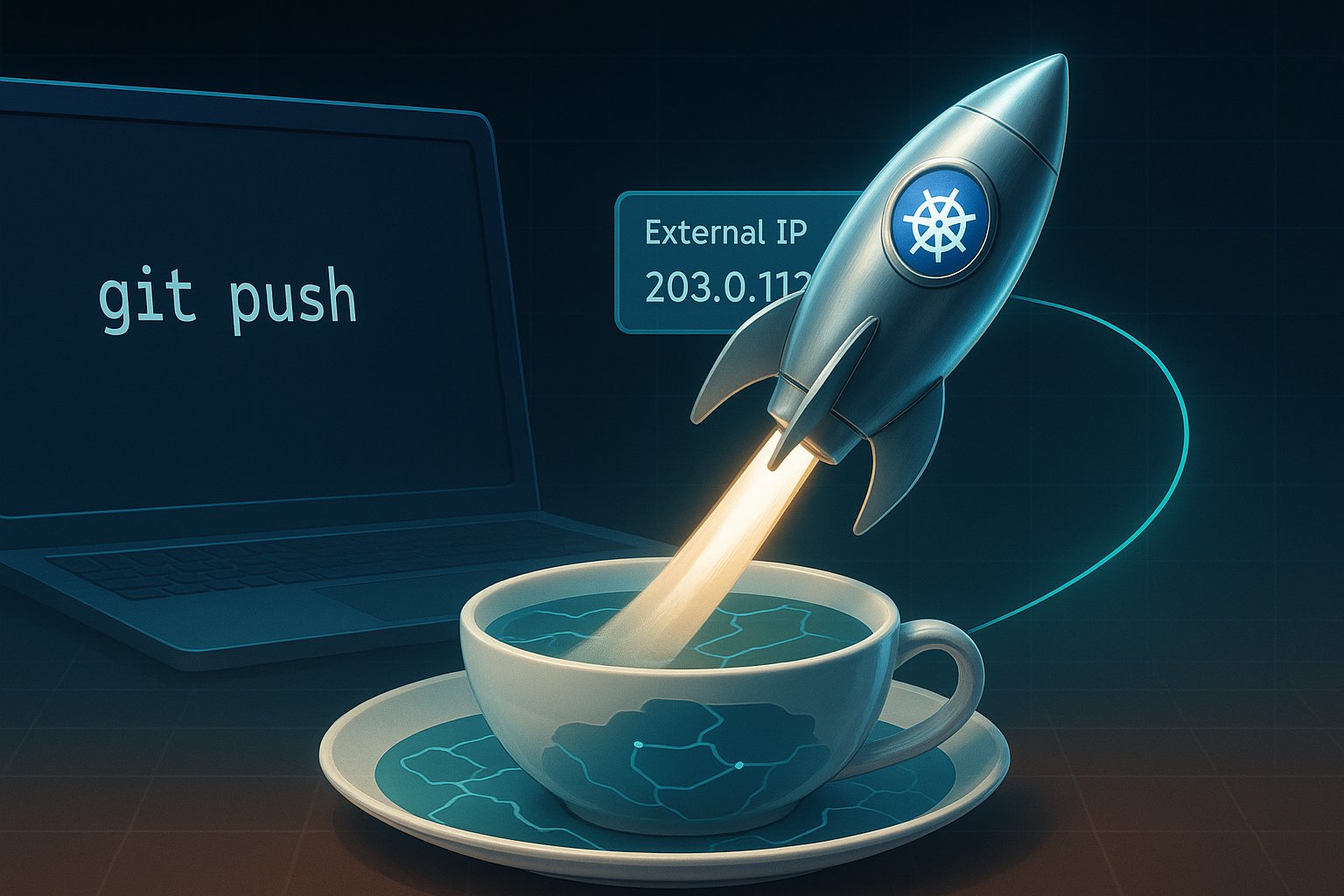
    • Add a CI pipeline in Cloud Build that auto-pushes on every git push.
    • Swap the Service for an Ingress to get HTTP/2, SSL, and path-based routing without extra load balancers.

    Curtain Call: The Meta-Narrative

    Kubernetes used to be a rite of passage—an epic saga of YAML and tears.
    GKE’s Autopilot flips the script: infrastructure becomes a utility, like electricity or Wi-Fi.
    You still need to know Ohm’s Law, but you no longer need to string copper across the continent.

    So, dear founder, the next time an investor asks, “Can we see it live by Thursday?”
    Smile, push your chair back, and say, “Give me thirty minutes and a fresh cup of coffee.”


    Call to Action:
    Fork the hello-app repo, run the playbook above, and share your external IP—or your horror story—in the comments.

    Need deeper cost modeling? Drop your pod specs and traffic estimates; I’ll run the numbers in the GKE Pricing Calculator and post a follow-up.

    Let’s turn Thursday demos into Tuesday habits.

  • From Bash Scripts to Autopilots: Navigating the Kubernetes Skies

    Imagine you’re standing on the tarmac. You see a massive cargo plane being loaded with thousands of packages. Each package is destined for a different corner of the world.

    This is how Kubernetes works, a powerful open-source system for automating deployment, scaling, and management of containerized applications.

    Think of Kubernetes as an air traffic control system. It orchestrates the movement of countless containers. These are standardized packages of software across a vast network of servers. But as the number of planes (applications) and destinations (clusters) grows, managing this intricate dance becomes increasingly complex.

    This is where configuration management at scale comes into play. It’s like having a team of skilled logistics experts. They ensure that every package reaches its destination on time. Packages also arrive in perfect condition.

    Let’s start our journey with DHL, a global logistics giant that knows a thing or two about managing complex operations. Their story begins in the early days of machine learning (ML). Back then, data scientists were like solo pilots. They relied on manual processes and “bash scripts” to get their models off the ground. These scripts were rudimentary instructions for computers.

    This ad-hoc approach worked for small-scale experiments, but as DHL’s ML ambitions soared, they encountered turbulence. Reproducing results became a challenge, deployments were prone to instability, and limited resources hampered their progress.

    They needed a more sophisticated system, an autopilot if you will, to navigate the complexities of ML at scale. Enter Kubeflow, an open-source platform designed specifically for ML workflows on Kubernetes.

    Kubeflow brought much-needed structure and standardization to DHL’s ML operations. Data scientists could now access secure and isolated notebook servers. These are digital cockpits for developing and testing ML models. They could be accessed directly within the Kubeflow environment.

    They could build robust pipelines, like automated flight paths, to train and deploy models. Kerve, a specialized framework, manages those mission-critical inference services. These are the components that make predictions based on trained models.

    Kubeflow even empowered DHL to create “meta pipelines,” pipelines that orchestrate other pipelines.

    Consider the air traffic control system. It can automatically adjust flight paths based on real-time conditions. This optimization ensures efficiency and safety. This hierarchical approach allowed DHL to tackle complex projects like product classification. Different pipelines handle specific aspects of sorting packages based on destination. Pipelines also manage sorting based on business unit and other factors.9

    Just like an aircraft needs a skilled pilot to oversee the autopilot, Kubeflow requires dedicated expertise. This expertise is essential to maintain and operate effectively. DHL emphasized the need for a strong platform team. These are the behind-the-scenes engineers who ensure the system functions smoothly.

    Kubeflow’s success at DHL highlights a crucial point: technology alone is not enough. It’s the people, their expertise, and their commitment to collaboration that truly make a difference.

    Now, let’s shift our focus. We need to move from managing ML workflows to the challenge of building and deploying applications across diverse hardware platforms. Imagine you’re designing an aircraft that needs to operate in a variety of environments, from scorching deserts to freezing tundras. You’d need to carefully consider the materials, engines, and other components to ensure optimal performance under all conditions.

    Similarly, in the world of software, different computing platforms use different processor architectures. Intel x86 dominates the server market, while ARM, known for its energy efficiency, powers many mobile devices and embedded systems. Building container images is a key challenge for modern application development. These images are standardized software packages. They can run seamlessly across diverse architectures.

    This is where multi-architecture container images come into play. They’re like universal adapters, allowing you to plug your software into different platforms without modification.

    One approach to building these universal images is using a tool called pack, part of the Cloud Native Buildpacks project. Consider pack an automated assembly line. It takes your source code and churns out container images tailored for different architectures.

    Pack relies on OCI (Open Container Initiative) image indexes, those master blueprints that describe the available images for different architectures. It’s like having a catalogue that lists all the compatible parts for different aircraft models.

    Pack’s magic lies in its ability to read configuration files that specify target architectures. It then automatically creates those image indexes. This process simplifies the task for developers.

    This automation is crucial for organizations. They need to deploy applications across a wide range of hardware platforms. These platforms range from powerful servers in data centres to resource-constrained devices at the edge.

    Speaking of the edge, let’s venture into the realm of airborne computing. Thales is a company that’s literally putting Kubernetes clusters on airplanes.

    Imagine a data centre, not in some sprawling warehouse, but soaring through the skies at 35,000 feet. That’s the kind of innovation Thales is bringing to the world of edge computing. They’re enabling airlines to run containerized workloads. These self-contained applications operate directly on aircraft. This opens up a world of possibilities for in-flight entertainment, connectivity, and even real-time aircraft monitoring and maintenance.

    Thales’ approach exemplifies the adaptability and resilience of Kubernetes. They’ve designed a system that can operate reliably in a highly constrained environment, with limited resources and intermittent connectivity.

    Their onboard data centre, remarkably, consumes only 300 watts, less than a hairdryer! This incredible efficiency shows their engineering prowess. It also demonstrates the power of Kubernetes to run demanding workloads even on resource-constrained hardware.

    Thales leverages GitOps principles, treating their infrastructure as code. They use Flux, a popular GitOps tool, to automate deployments and manage configurations. It’s like having an autopilot that constantly monitors and adjusts the system based on predefined instructions, ensuring stability and reliability.

    They’ve built a clever system for OS updates. This system uses a layered approach. It minimizes downtime and ensures a smooth transition between versions. It’s like upgrading the software on an aircraft’s navigation system without ever having to ground the plane.

    But managing Kubernetes at scale, even on the ground, presents unique challenges. Let’s turn our attention to Cisco, a networking giant with a vast network of data centres. Their story highlights the importance of blueprints. These are standardized deployment templates. Their story also emphasizes substitution variables. These are customizable parameters that allow you to tailor deployments for specific environments.

    Imagine you’re building a fleet of aircraft. You’d start with blueprints that define the overall design. However, you’d need to adjust certain specifications based on the intended use. Examples include passenger capacity, range, or engine type.

    Similarly, Cisco uses blueprints to define their standard Kubernetes deployments. They use substitution variables to configure applications differently for various data centres and clusters.

    They initially relied heavily on Helm, a popular package manager for Kubernetes, to deploy their applications. Helm charts, those pre-packaged bundles of Kubernetes resources, became the building blocks of their deployments.

    Their Kubernetes footprint expanded to hundreds of clusters. As a result, managing these Helm charts using YAML became a bottleneck. YAML is a ubiquitous yet often-maligned configuration language.

    Imagine trying to coordinate the construction of hundreds of aircraft using only handwritten notes and spreadsheets. It’s a recipe for chaos and errors. YAML, with its lack of type safety and schema validation, proved inadequate for managing configurations at this scale.

    Cisco’s engineers, like seasoned aircraft mechanics, built custom tools to validate their configurations and catch errors early on. But they knew that a more fundamental shift was needed. They yearned for a more robust and expressive language, something that could prevent configuration errors before they even took flight.

    This is where CUE, a powerful configuration language, enters the picture. Imagine CUE as a sophisticated CAD software for Kubernetes configurations. It brings the rigor and precision of software engineering to the world of infrastructure management.

    CUE enables type safety, ensuring that data types are consistent and preventing mismatches that could lead to errors. It also supports schema validation, allowing you to define strict rules for your configurations and catch violations early on.

    Furthermore, CUE can directly import Kubernetes API specifications, those master blueprints for Kubernetes objects. This tight integration guarantees that your configurations are always valid and consistent with the latest Kubernetes standards.

    To harness CUE’s power, a new tool called Timony has emerged. Timony, much like an expert aircraft assembler, uses CUE to generate intricate Kubernetes manifests. These manifests are the instructions that tell Kubernetes how to deploy and manage your applications.

    Timony offers a level of abstraction and flexibility that goes beyond Helm. It allows you to define reusable modules. These modules are the building blocks of your configurations. You can combine them into complex deployments.

    It also introduces the concept of “runtime.” This enables Timony to fetch configuration data directly from the Kubernetes cluster at deployment time. This removes the need to store sensitive information like secrets in your Git repositories. It enhances security and reduces the risk of accidental leaks.

    The transition from Helm and YAML to CUE and Timony is a significant undertaking. It is like retraining an entire fleet of pilots on a new navigation system. But for organizations managing Kubernetes at scale, the potential benefits are enormous.

    Imagine a world with less boilerplate code. Experience fewer configuration errors. Enjoy a smoother workflow for managing hundreds or even thousands of Kubernetes clusters. That’s the promise of CUE and Timony, and it’s a future worth striving for.

    We are at the end of our journey through the Kubernetes skies. We have witnessed the remarkable evolution of tools and approaches for managing complex deployments. In the early days, there were bash scripts and manual processes. Now, we use sophisticated automation tools like KubeflowFlux, and Timony. The quest for efficiency, reliability, and scalability continues.

    But the key takeaway is this: technology is only as good as the people who wield it. The expertise of data scientists, engineers, and platform teams truly unlocks the power of Kubernetes. Their dedication to collaboration and knowledge sharing is essential.

    As you navigate your own Kubernetes journey, remember the lessons learned from DHL, Thales, and Cisco. Embrace the power of automation, but never underestimate the importance of human ingenuity and collaboration. Who knows? You could be the one to pilot the next groundbreaking innovation in the ever-evolving world of Kubernetes.